
Continuous queries
Schedule rollups in Arc from the Continuous Queries tab: pick a source measurement, an aggregation window, and a destination, then run one on demand or let it run continuously.
Continuous queries roll up and downsample data on a schedule: read from a source, aggregate over a window, and materialize the result into a destination measurement. They're how you keep long-term storage cheap while preserving the summaries you actually query.
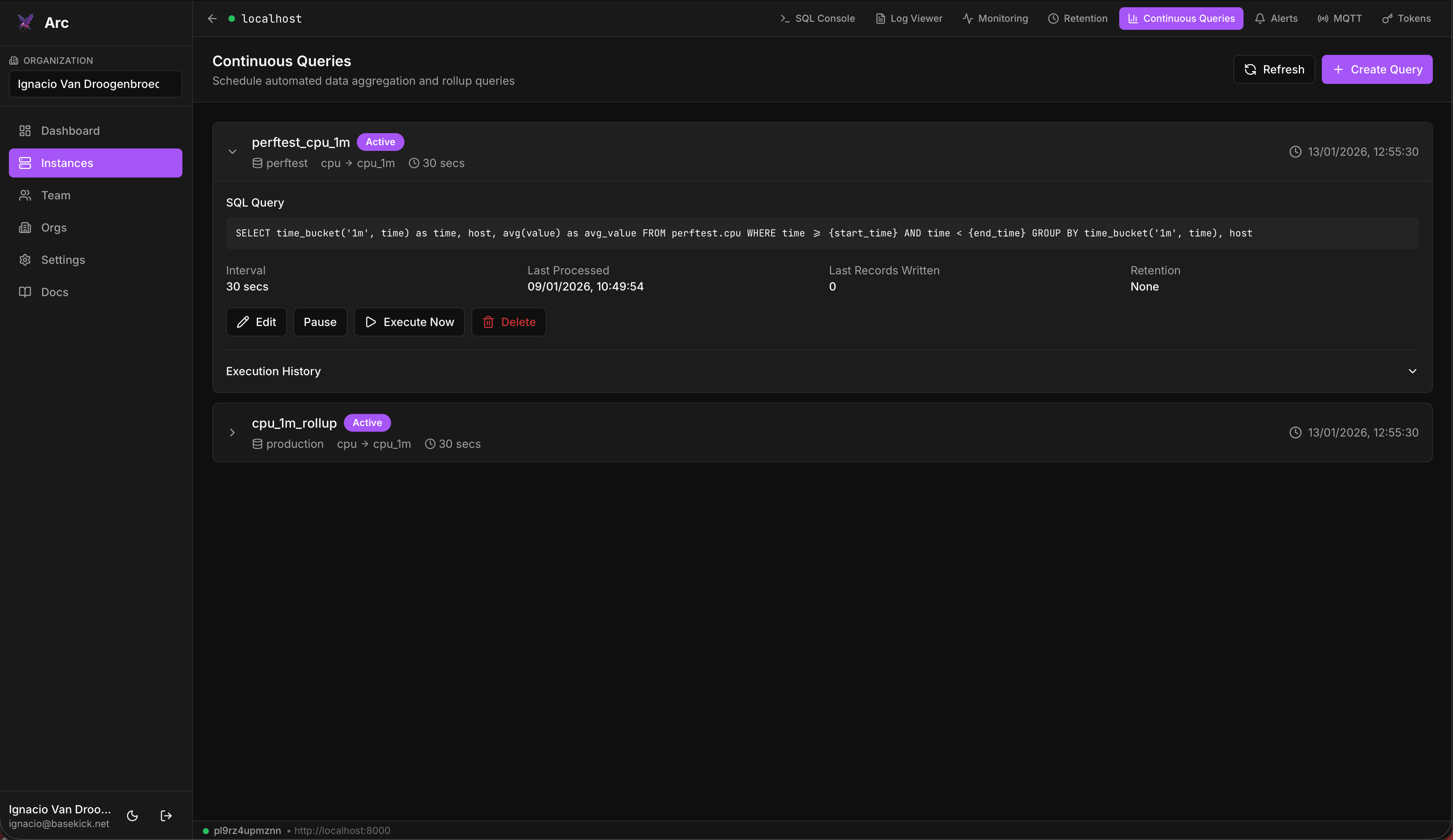
Create a continuous query
From the Continuous Queries tab, click Create Query and configure:
| Field | Description |
|---|---|
| Database | The database the query runs in. |
| Source Measurement | The measurement to read from. |
| Destination Measurement | Where the aggregated result is written. |
| Interval | How often the query runs, chosen from the interval picker. |
| Delete Source After (days) | Optional. Drop the raw source data this many days after it has been aggregated. |
| Retention Days | Optional. Drop the rolled-up data after this many days too, to cap storage. |
| Enable query immediately | Whether it runs on a schedule, or is created paused. |
The query body must reference the {start_time} and {end_time} placeholders, which Launchpad substitutes with the bounds of each run's window.
Run and manage
Each continuous query can be Edited, Executed Now on demand, paused with Pause / Activate, or Deleted. The execute dialog offers a dry run that previews the query without writing anything, so you can check a rollup before it materializes. Run one manually to backfill or test it, then enable it to run continuously.
Availability
Continuous queries depend on Arc's support for them on that instance. If the tab shows "Continuous Queries Not Available", the connected Arc version or configuration doesn't expose the feature.
Requires admin
Managing continuous queries requires an admin-scoped connection.
Retention policies
Create Arc retention policies from the Retention tab: scope them to a database or measurement, set retention and buffer periods, preview deletions with a dry-run, then execute or schedule them.
Alerts
Define threshold alerts on Arc data from the Alerts tab: set a condition and check interval, point it at a webhook, and review recent triggers from the alert card.