
Alerts
Define threshold alerts on Arc data from the Alerts tab: set a condition and check interval, point it at a webhook, and review recent triggers from the alert card.
Alerts watch your data and notify a webhook when a condition is met. Launchpad evaluates them on a schedule, querying the connected Arc instance for the value. Create and manage them from the Alerts tab.
Create an alert
Click Create Alert and configure:
| Field | Description |
|---|---|
| Alert Name | A label for the alert. |
| Condition | The comparison to apply against a threshold: greater than, less than, equals, not equals, or contains. The alert fires when it matches. |
| Check Interval | How often the condition is evaluated. The minimum accepted interval is 1 minute. |
| Webhook URL | Optional endpoint to notify when the alert fires (e.g. Slack, Discord, or a custom receiver). Must be a public HTTPS URL. |
| Enable alert immediately | Whether it starts active or paused. |
The notification message is generated for you from the rule: the alert name, the observed value, the condition, and the threshold.
Monitor and manage
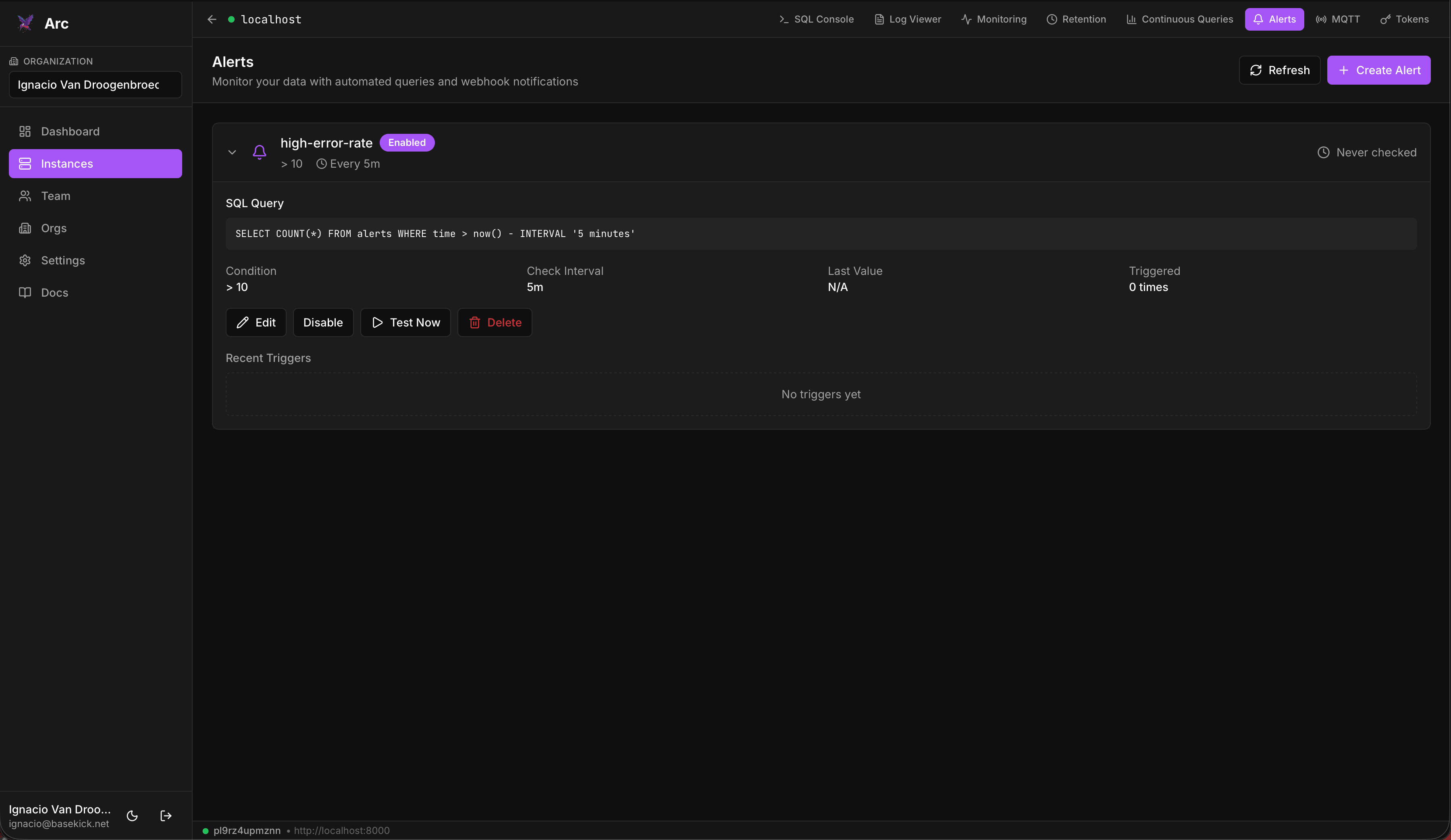
Each alert card shows its condition, check interval, last value, and how many times it has triggered. Expand Recent Triggers for the time, value, and message of past firings.
From the same card you can Edit, Disable / Enable, Test Now, or Delete an alert. Test Webhook sends a sample payload so you can confirm the receiver works before the alert ever fires.
Requires an owner or admin role
Unlike the other management tabs, alert rules live in Launchpad, so access is governed by your organization role: creating, editing, and deleting alerts requires the owner or admin role in the active organization. See Teams & organizations.
Notification delivery
Alerts are evaluated and delivered by Launchpad, not by Arc. Launchpad queries Arc for the value, compares it against the threshold, and posts to the webhook itself. The webhook must therefore be reachable from the Launchpad host, and the rule and its history live in Launchpad's database rather than in Arc.
Continuous queries
Schedule rollups in Arc from the Continuous Queries tab: pick a source measurement, an aggregation window, and a destination, then run one on demand or let it run continuously.
MQTT ingestion
Manage Arc's MQTT subscriptions from the browser: set the broker URL, topics, QoS, and target database, enable TLS or mTLS, and watch per-session message and reconnect stats.