
Connecting to Arc
Register an Arc server in Launchpad: supply the Arc HTTP API URL and an admin token, and allow private endpoints when Arc runs on a Docker network or private subnet.
Launchpad doesn't host databases; you point it at an Arc server you already run. Each server you register is called a connection (or instance) in the UI.
Add a connection
From the sidebar, go to Instances, then click Connect Instance. That opens the Connect an Arc server form.
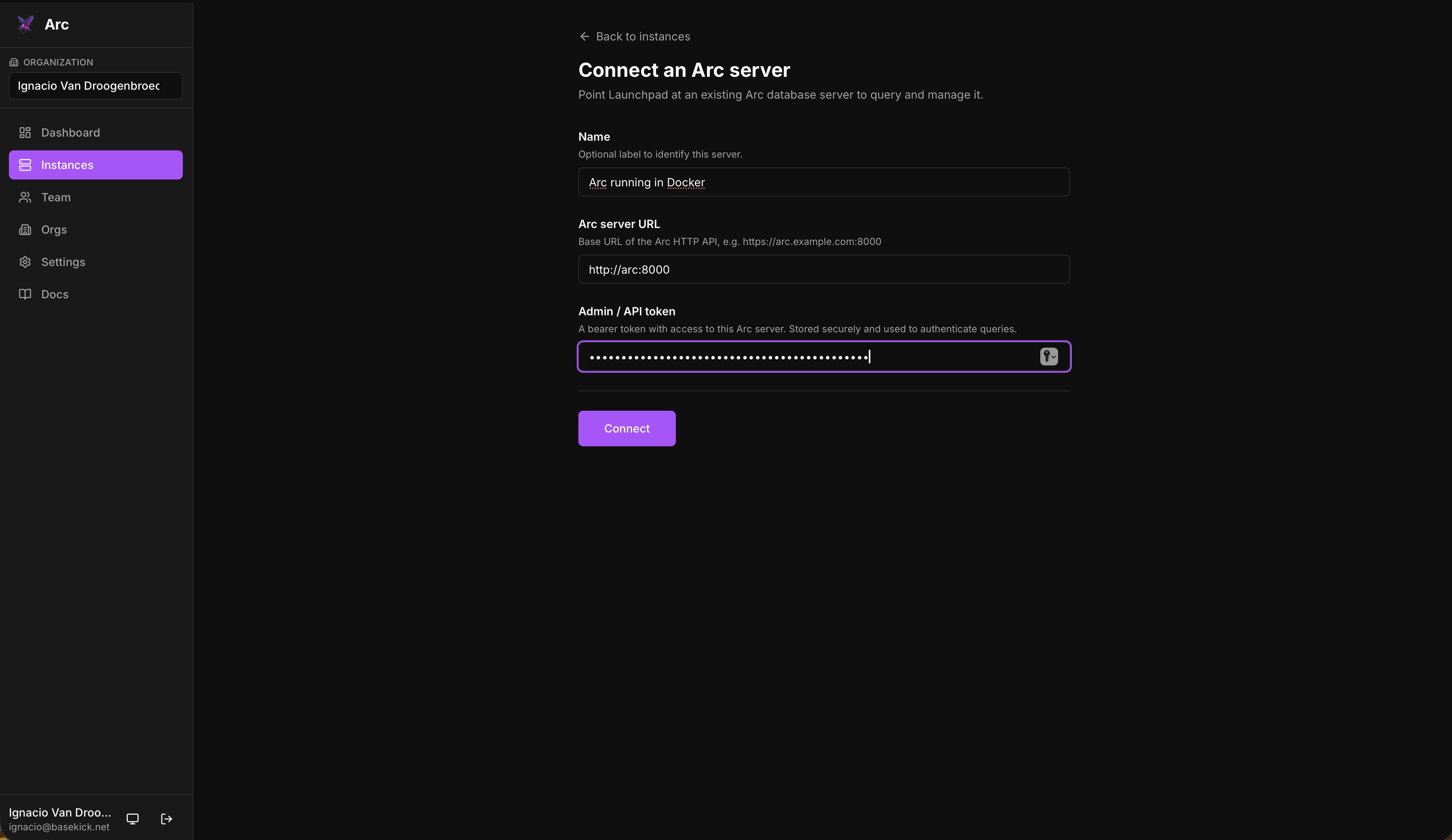
Fill in:
| Field | Description |
|---|---|
| Name | Optional label to identify this server (e.g. "Production", "Arc running in Docker"). |
| Arc server URL | Base URL of the Arc HTTP API, e.g. https://arc.example.com:8000. On a shared Docker network this is http://arc:8000. |
| Admin / API token | A bearer token with access to this Arc server. Stored securely and used to authenticate queries and admin actions. |
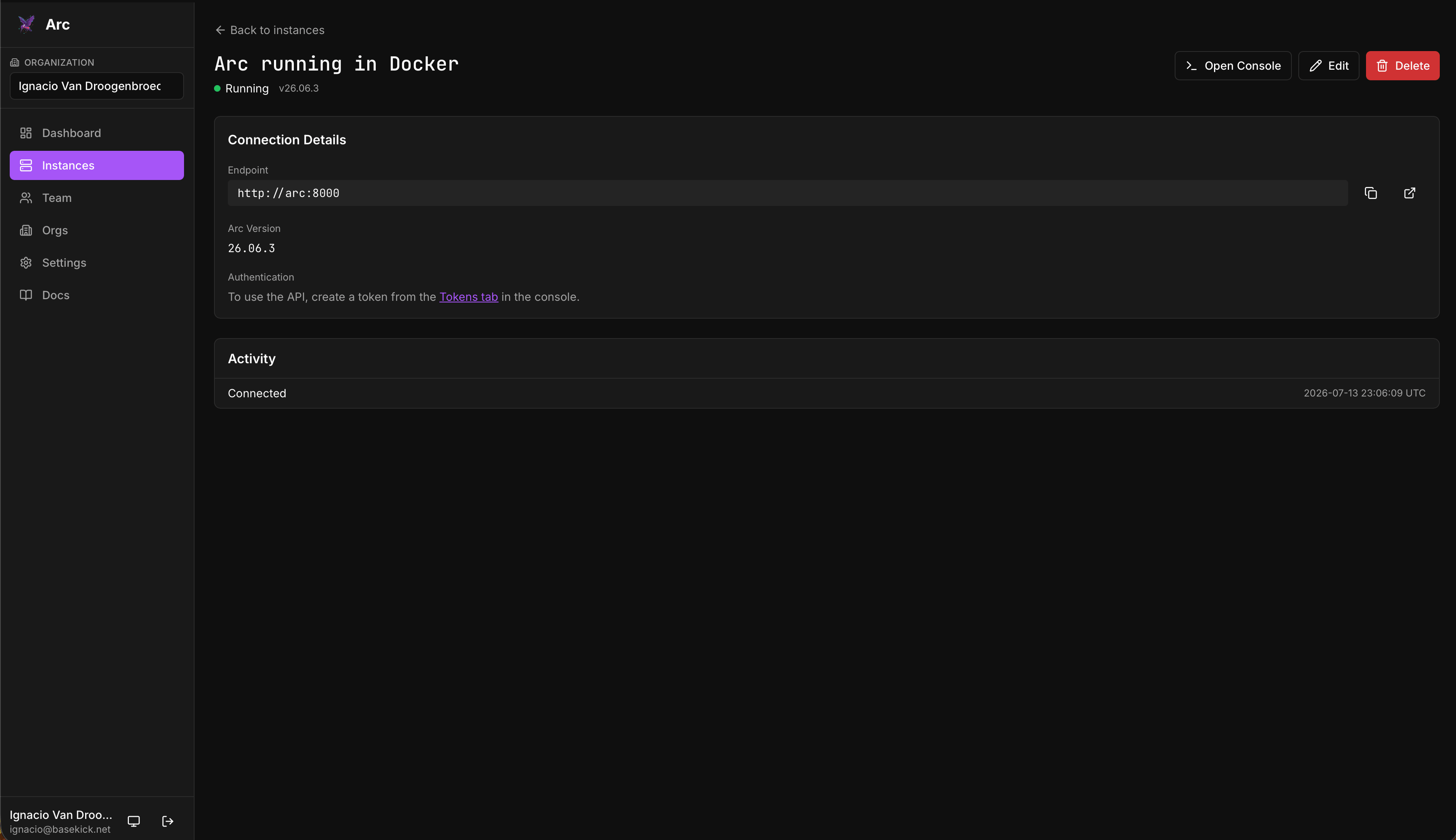
Click Connect. Launchpad verifies the endpoint and token, then the connection appears on your Instances page.
Getting the Arc admin token
If Arc has auth enabled, you need an admin (or sufficiently scoped) token. On a fresh Arc instance, an admin token is generated on first run; grab it from the logs:
docker logs arc | grep -i "admin token"If your Arc runs with auth disabled, any non-empty value is accepted but unused; admin actions still work against that instance.
Scope matters
The token you register determines what Launchpad can do on that instance. An admin-scoped token unlocks the operational surface (tokens, retention, alerts, continuous queries, MQTT). A read-only token can still run SQL and browse schemas, but management tabs that require admin access will say so.
Reaching Arc on a private network
By default Launchpad rejects Arc endpoints that resolve to a private, loopback, or link-local address (localhost, 127.0.0.1, 10.x, 192.168.x, *.internal, cloud metadata, …). This is an SSRF safeguard.
If your Arc server legitimately runs on a private network reachable from the Launchpad host (the same box, the same Docker network, or the same Kubernetes cluster), set LAUNCHPAD_ALLOW_PRIVATE_ENDPOINTS=true. Even then, the proxy resolves-and-pins the target IP per request, so it stays safe against DNS rebinding. See Configuration.
Some URL notes for containerized setups:
- Same Docker network: use the service name, e.g.
http://arc:8000. - Arc on the host, Launchpad in a container:
localhostinside the container is the container itself. Reach a host-side Arc viahttp://host.docker.internal:8000or the host's LAN IP.
Open the console
Once connected, click the instance to open its console. From there you can run SQL and manage the instance. See Using the Console.
First-run setup
Complete the Launchpad setup wizard: create the first account, which becomes the administrator, and optionally configure Mailgun or SMTP for invitations and password resets.
SQL console
Run SQL against a connected Arc instance from the browser: browse the schema tree, replay query history, run a selection or a whole script, and export results as CSV, JSON, Markdown, or a chart.