
Snowflake
Query Arc's data in Snowflake without copying it: Snowflake reads Arc's Iceberg tables through Arc's own REST catalog or through AWS Glue, and its Parquet files through a read-only external volume. Step by step in Snowsight, from the IAM role to a Streamlit map.
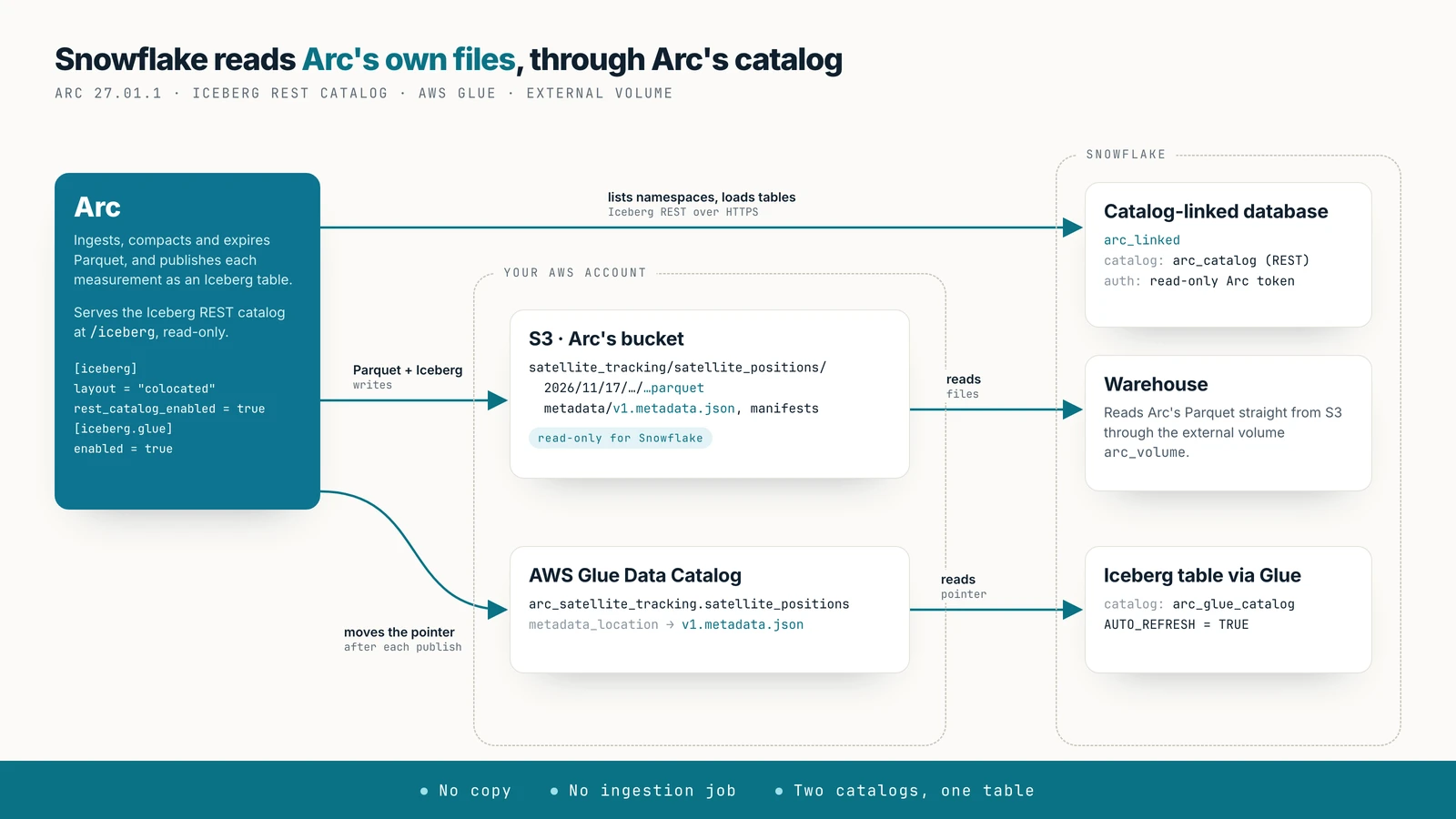
Query Arc's data in Snowflake where it already is. Arc publishes each measurement as an Apache Iceberg table over its own Parquet files. Snowflake learns where each table is from a catalog, and reads the files from your bucket through a read-only external volume. There is no copy, no ingestion job and no schedule.
Availability
Arc 27.01.1 or later, with an S3 primary on AWS (storage.backend = "s3"). Every step below was run on a Snowflake trial account in AWS us-east-2.
There are two routes, and both read the same files:
- Arc's REST catalog (recommended). Arc itself is the catalog. A catalog-linked database discovers every Arc table, including ones created later, and needs nothing in AWS beyond the bucket. Snowflake must reach Arc over HTTPS.
- AWS Glue. Arc registers each table in Glue and Snowflake follows the Glue pointer, one Iceberg table at a time. Use it when your organisation already runs on Glue, or when Arc can't be exposed to Snowflake.
Before you start
- Arc 27.01.1 on S3 in AWS. The guide uses a bucket called
my-arc-bucketinus-east-2. - A Snowflake account in the same region if you can. Every query reads Arc's files from S3.
- The
ACCOUNTADMINrole (or a role allowed to create external volumes, integrations and databases). - For the REST route: Arc reachable from the internet over HTTPS. Snowflake calls the catalog from its own cloud. Put Arc behind a TLS proxy or load balancer; a self-signed certificate won't do.
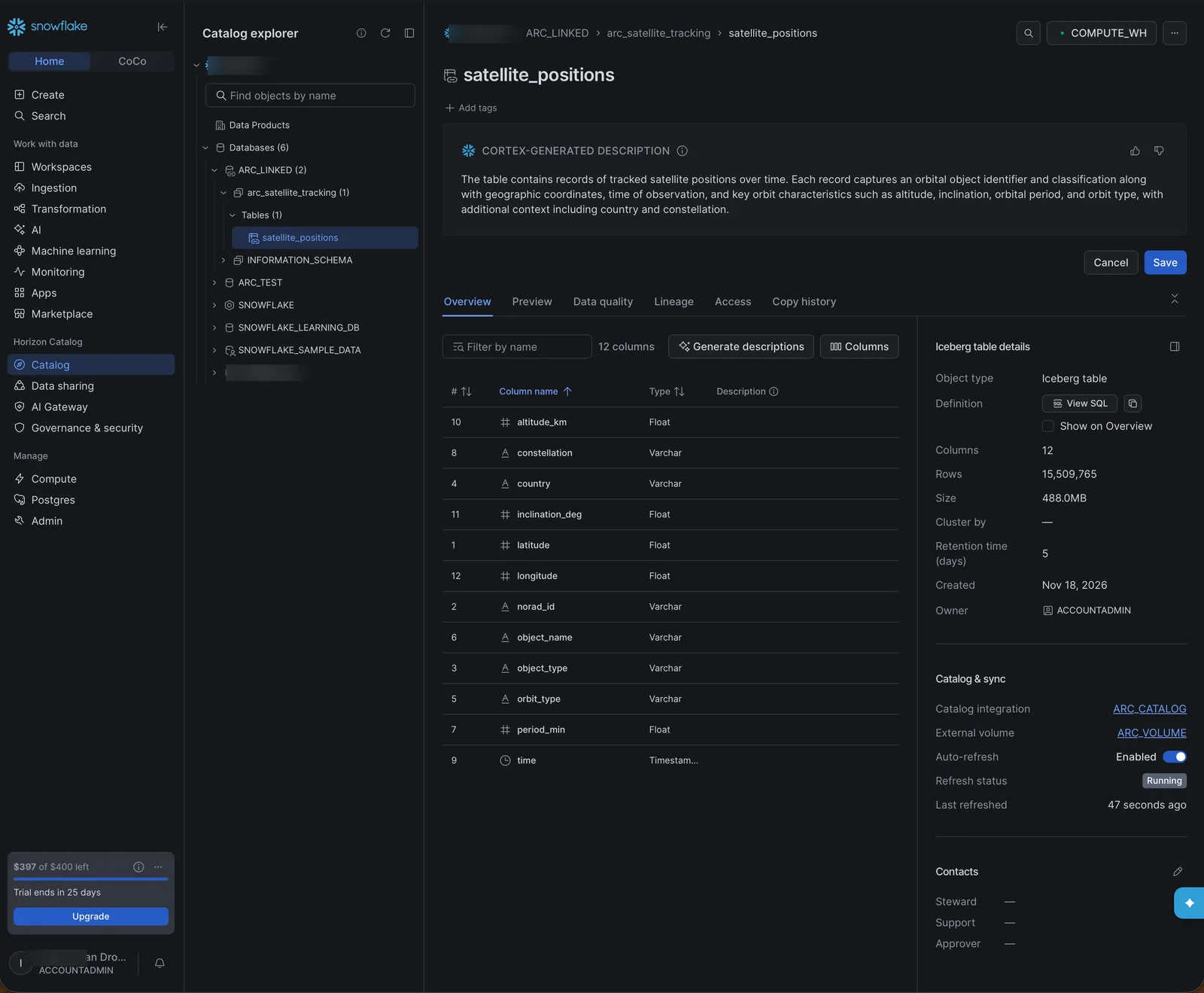
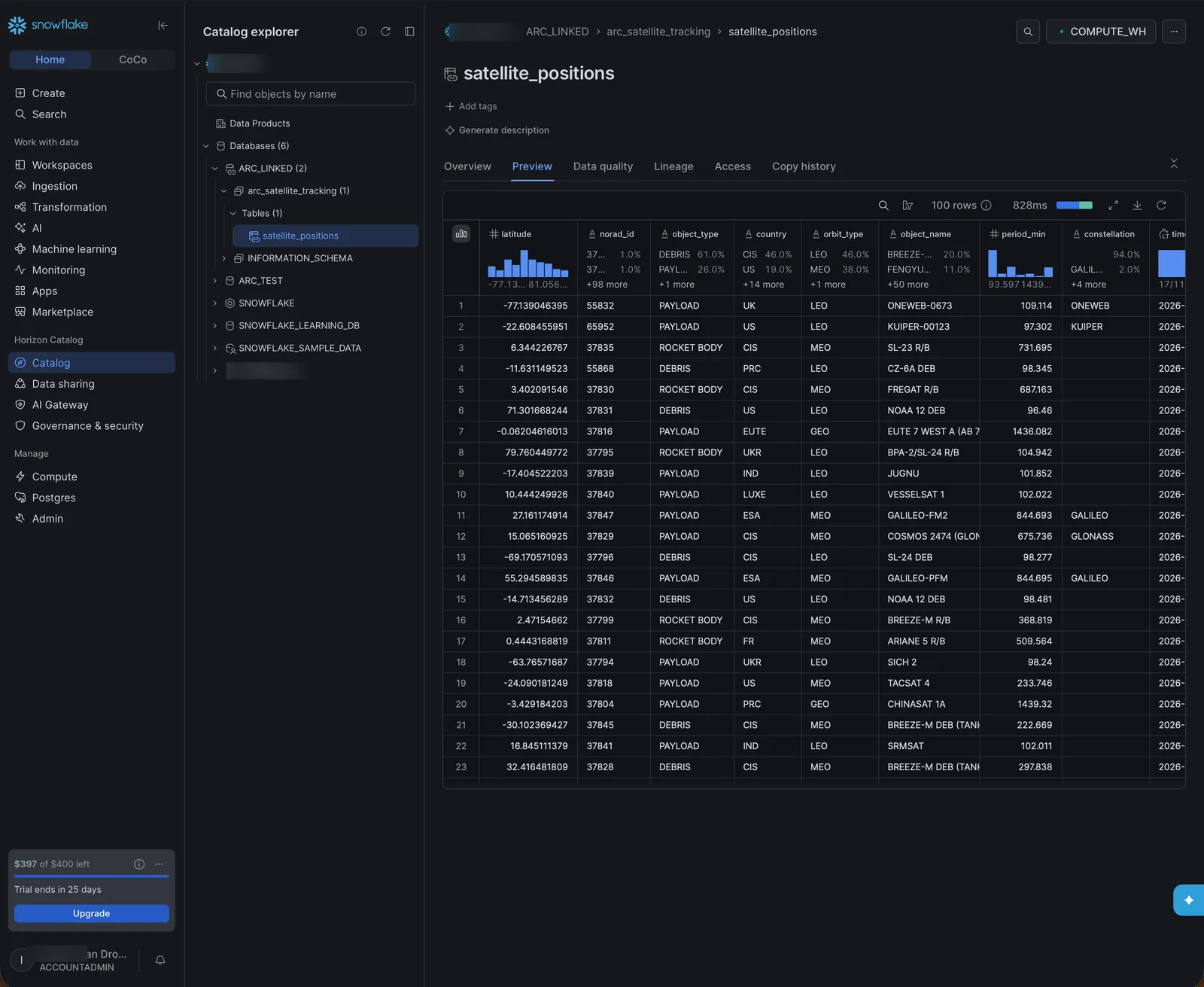
The screenshots use the demo measurement satellite_tracking.satellite_positions: 15.5 million positions of 33,000 tracked objects (satellites, rocket bodies and debris) over two days, every five minutes.
1. Configure Arc
[iceberg]
enabled = true
layout  = "colocated"            # either layout works for Snowflake
rest_catalog_enabled = true      # the REST route

[iceberg.glue]
enabled = true                   # the Glue route
Or with environment variables: ARC_ICEBERG_ENABLED=true, ARC_ICEBERG_LAYOUT=colocated, ARC_ICEBERG_REST_CATALOG_ENABLED=true, ARC_ICEBERG_GLUE_ENABLED=true. Turn on only the route you use. Snowflake is granted the whole bucket, so unlike Databricks or Fabric it reads either table layout; colocated lets one configuration serve all three.
The REST catalog is at your Arc URL followed by /iceberg. Create a token for Snowflake that can only read:
curl -X POST https://arc.example.com/api/v1/auth/tokens \
  -H "Authorization: Bearer $ARC_ADMIN_TOKEN" \
  -H "Content-Type: application/json" \
  -d '{"name": "snowflake", "description": "Snowflake REST catalog", "permissions": ["read"]}'
The response holds the token; store it, it isn't shown again. With it, the catalog answers and every write to Arc is refused with 403.
For the Glue route, the credentials Arc uses for S3 also need glue:GetDatabase, GetDatabases, CreateDatabase, GetTable, GetTables, CreateTable, UpdateTable and DeleteTable on the arc_* databases. See Through AWS Glue.
2. Create the IAM role for the external volume
Snowflake reads Arc's bucket by assuming an IAM role in your account. Create one (say arc-snowflake-s3) with this permissions policy, which can only read:
{
  "Version": "2012-10-17",
  "Statement": [
    { "Effect": "Allow",
      "Action": ["s3:ListBucket", "s3:GetBucketLocation"],
      "Resource": "arn:aws:s3:::my-arc-bucket" },
    { "Effect": "Allow",
      "Action": ["s3:GetObject", "s3:GetObjectVersion"],
      "Resource": "arn:aws:s3:::my-arc-bucket/*" }
  ]
}
IAM needs a trust policy when you create the role. Start with a placeholder, and replace it in the next step with the values Snowflake gives you:
{
  "Version": "2012-10-17",
  "Statement": [
    { "Effect": "Allow",
      "Principal": { "AWS": "arn:aws:iam::123456789012:root" },
      "Action": "sts:AssumeRole",
      "Condition": { "StringEquals": { "sts:ExternalId": "0000" } } }
  ]
}
3. Create the external volume
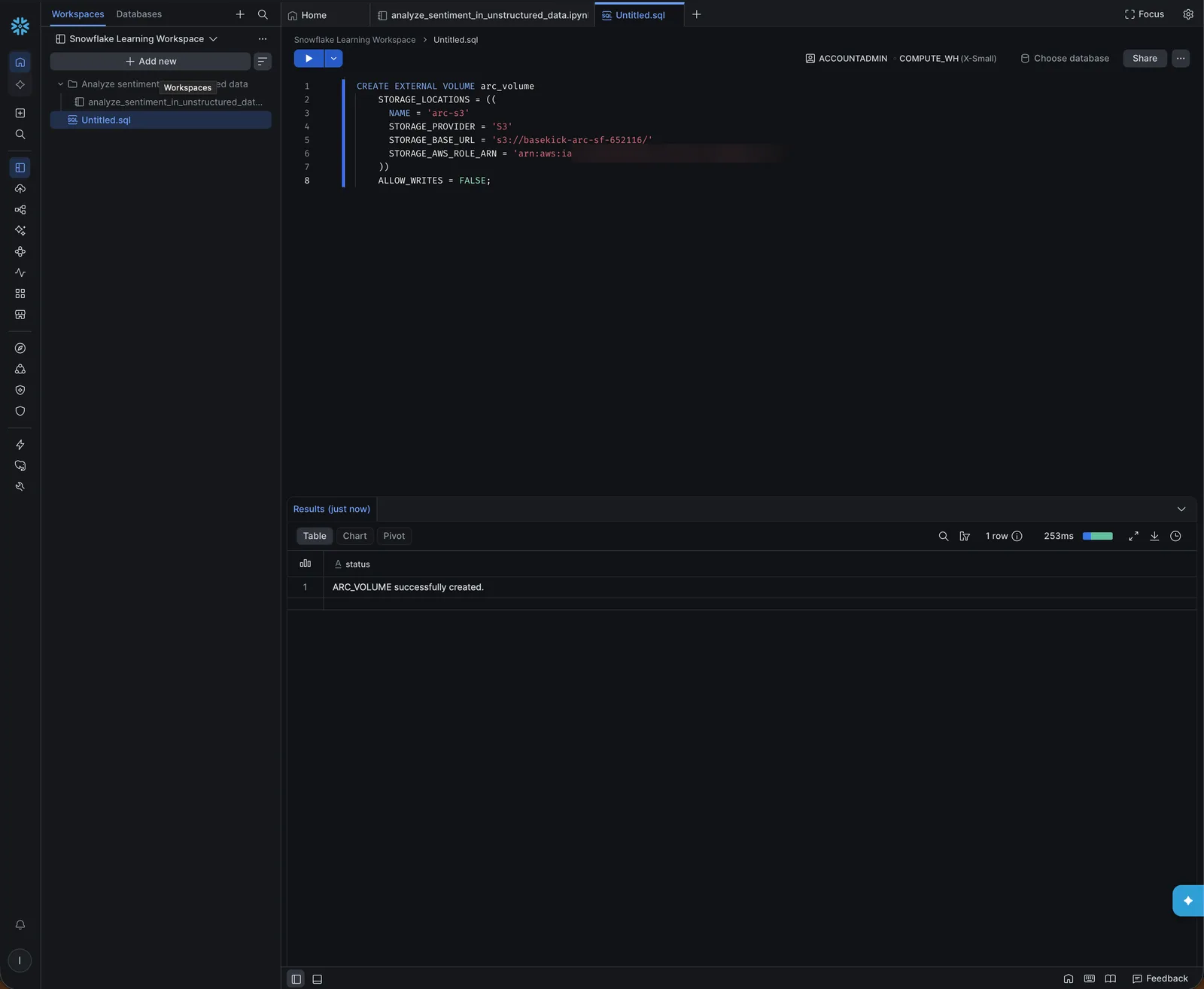
In Snowsight, open Workspaces, add a SQL file, select the ACCOUNTADMIN role, and run:
CREATE EXTERNAL VOLUME arc_volume
  STORAGE_LOCATIONS = ((
    NAME = 'arc-s3'
    STORAGE_PROVIDER = 'S3'
    STORAGE_BASE_URL = 's3://my-arc-bucket/'
    STORAGE_AWS_ROLE_ARN = 'arn:aws:iam::123456789012:role/arc-snowflake-s3'
  ))
  ALLOW_WRITES = FALSE;
ALLOW_WRITES = FALSE keeps Snowflake from writing to Arc's bucket, whatever the role allows.
Then read back the identity Snowflake will use:
DESC EXTERNAL VOLUME arc_volume;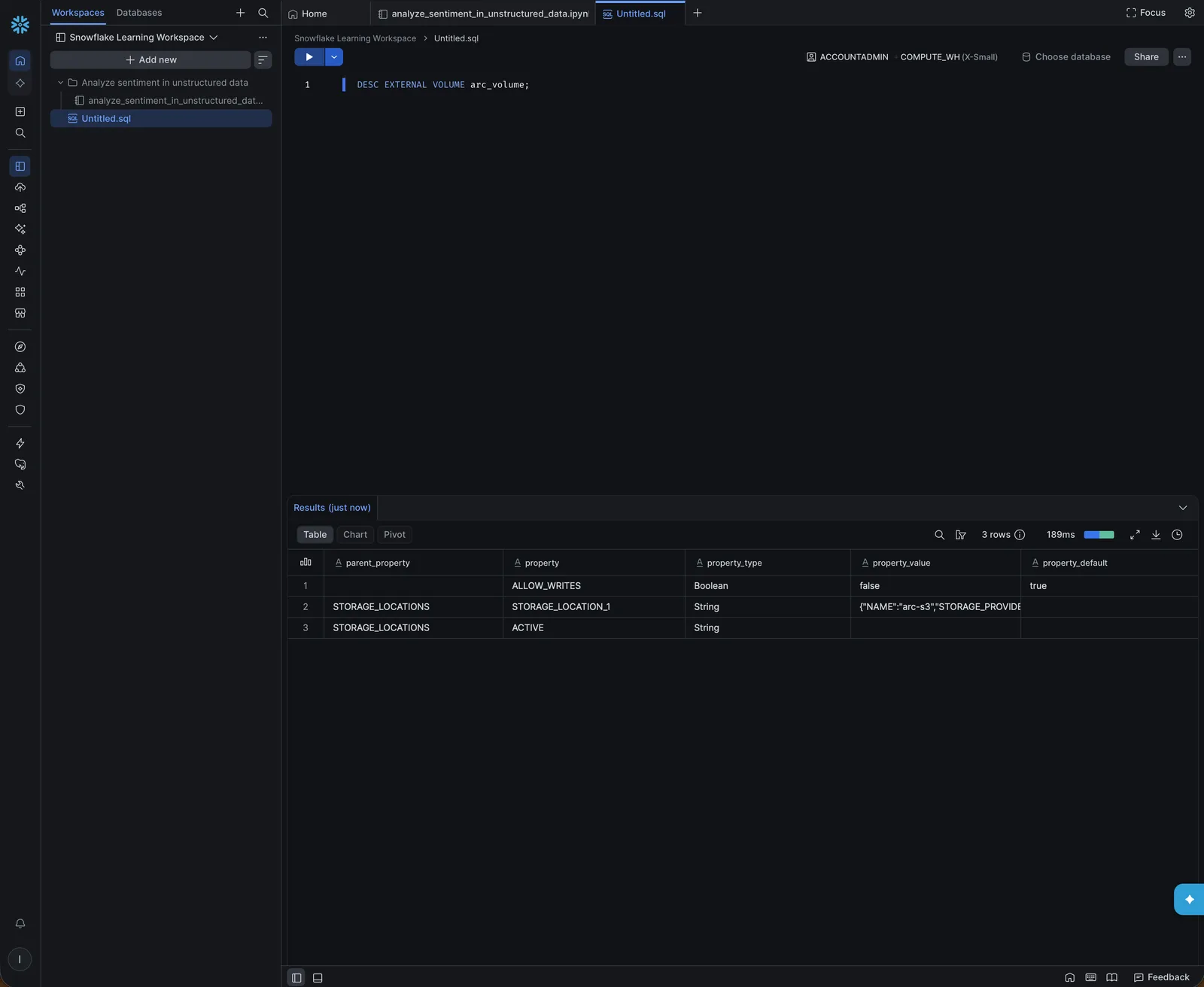
The STORAGE_LOCATION_1 value is a JSON document. Run this right after the DESC to pull out the two fields you need:
SELECT PARSE_JSON("property_value"):STORAGE_AWS_IAM_USER_ARN::string AS iam_user_arn,
       PARSE_JSON("property_value"):STORAGE_AWS_EXTERNAL_ID::string  AS external_id
FROM TABLE(RESULT_SCAN(LAST_QUERY_ID()))
WHERE "property" = 'STORAGE_LOCATION_1';
Put them in the role's trust policy, replacing the placeholder:
{
  "Version": "2012-10-17",
  "Statement": [
    { "Effect": "Allow",
      "Principal": { "AWS": "<iam_user_arn>" },
      "Action": "sts:AssumeRole",
      "Condition": { "StringEquals": { "sts:ExternalId": "<external_id>" } } }
  ]
}
Then check that Snowflake can read the bucket:
SELECT SYSTEM$VERIFY_EXTERNAL_VOLUME('arc_volume');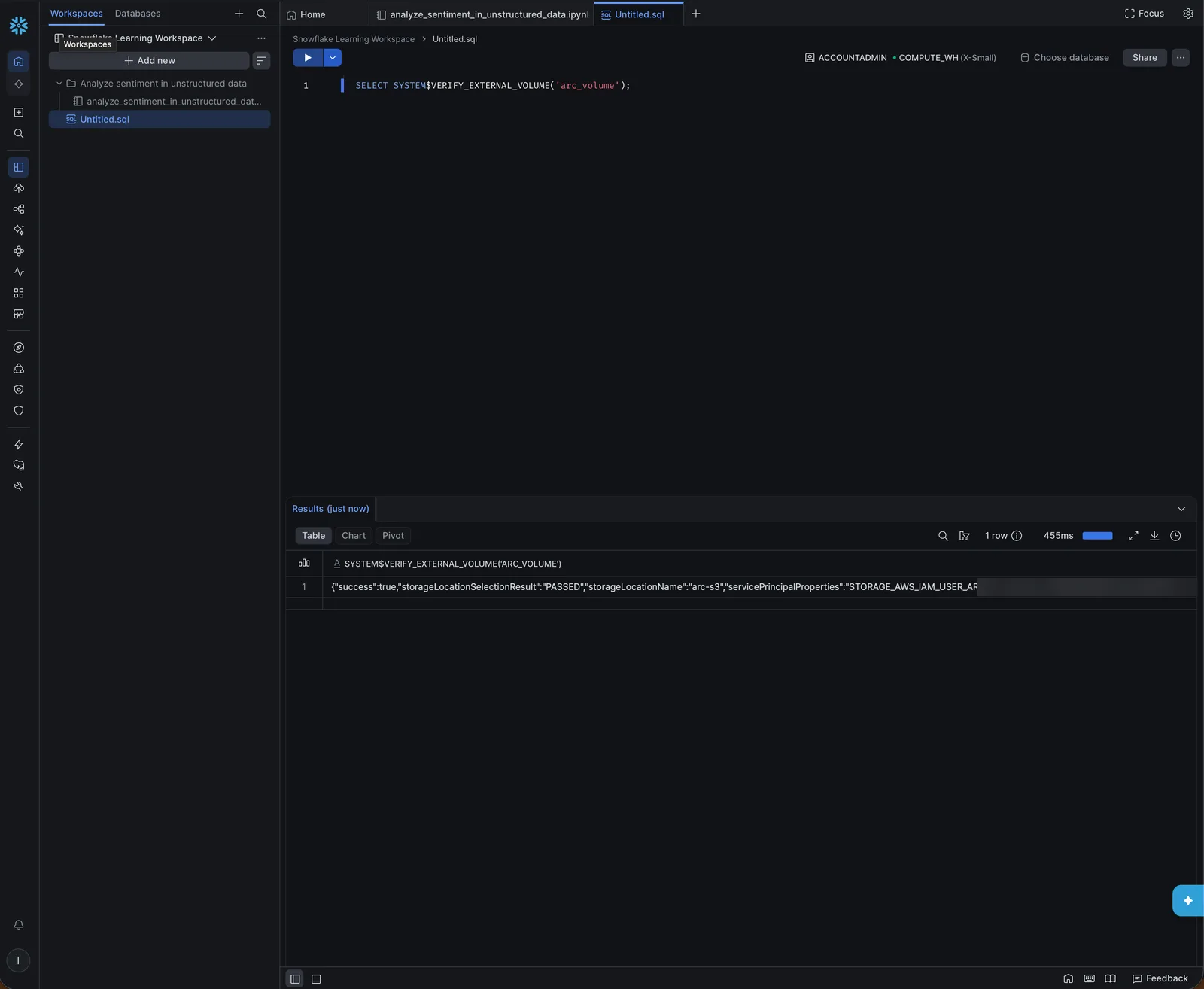
If it reports AccessDenied, wait half a minute for IAM to apply the trust policy and run it again.
4. Connect Arc's REST catalog
Create a catalog integration that points at Arc, with the read-only token:
CREATE CATALOG INTEGRATION arc_catalog
  CATALOG_SOURCE = ICEBERG_REST
  TABLE_FORMAT = ICEBERG
  REST_CONFIG = (
    CATALOG_URI = 'https://arc.example.com/iceberg'
    CATALOG_API_TYPE = PUBLIC
  )
  REST_AUTHENTICATION = (TYPE = BEARER BEARER_TOKEN = '<arc token>')
  ENABLED = TRUE;

SELECT SYSTEM$VERIFY_CATALOG_INTEGRATION('arc_catalog');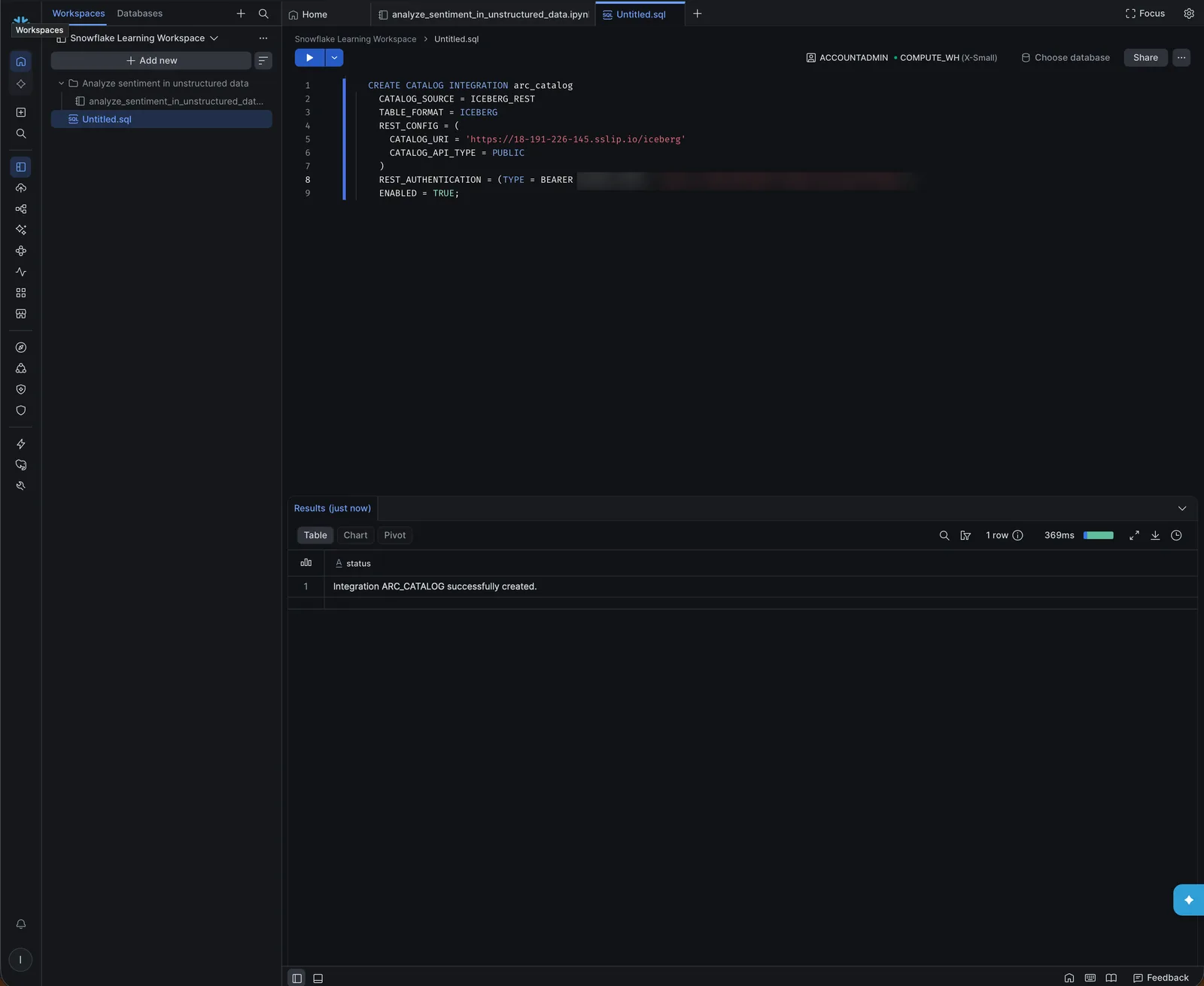
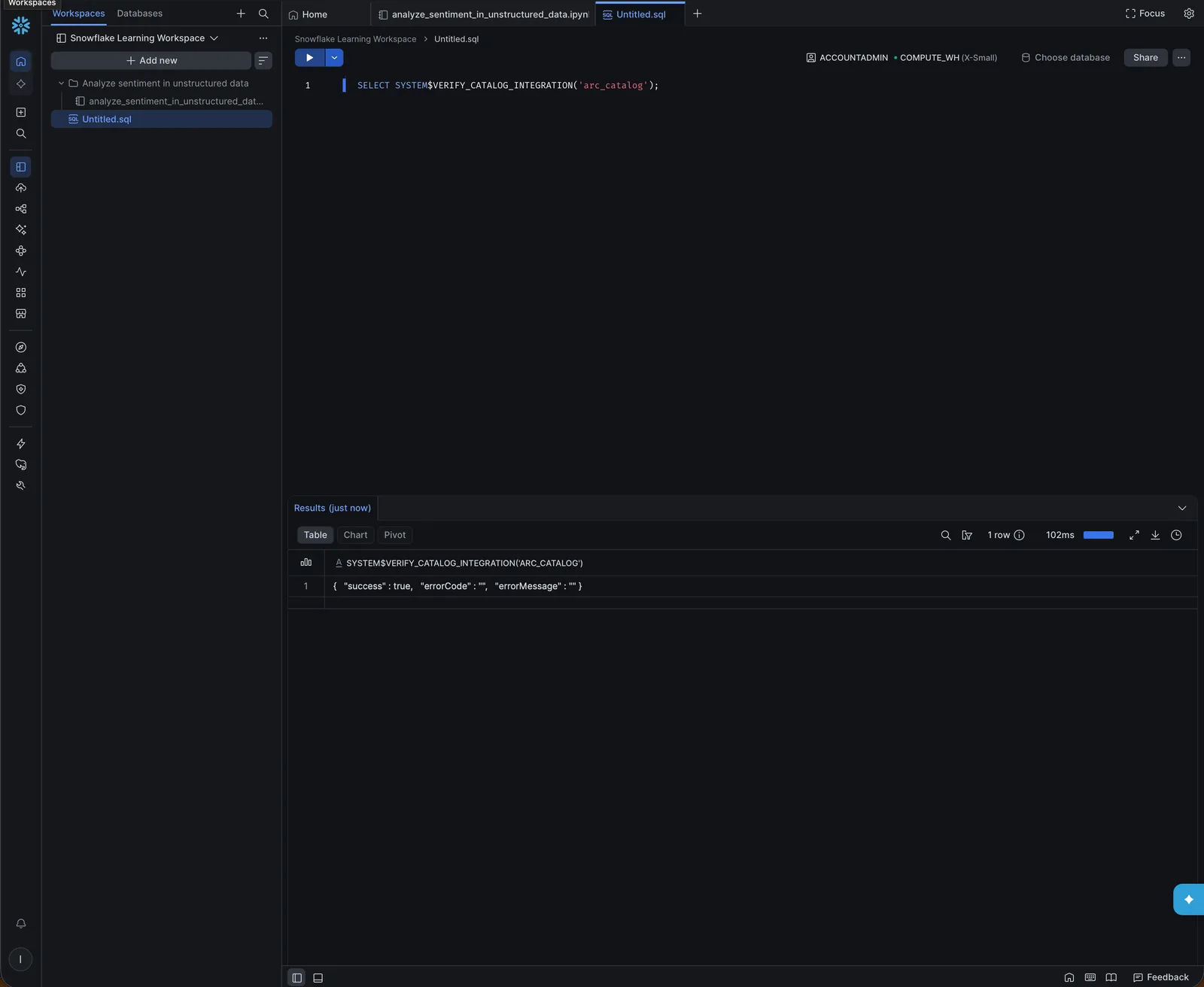
Snowflake keeps the token in the integration, and its query history can show it. Use a read-only token, never an admin one.
5. Link a database to Arc's catalog
A catalog-linked database mirrors Arc's catalog: one schema per Arc database (arc_<database>) and one table per measurement. It discovers tables created later on its own.
CREATE DATABASE arc_linked
  LINKED_CATALOG = (CATALOG = 'arc_catalog')
  EXTERNAL_VOLUME = 'arc_volume';

SELECT SYSTEM$CATALOG_LINK_STATUS('arc_linked');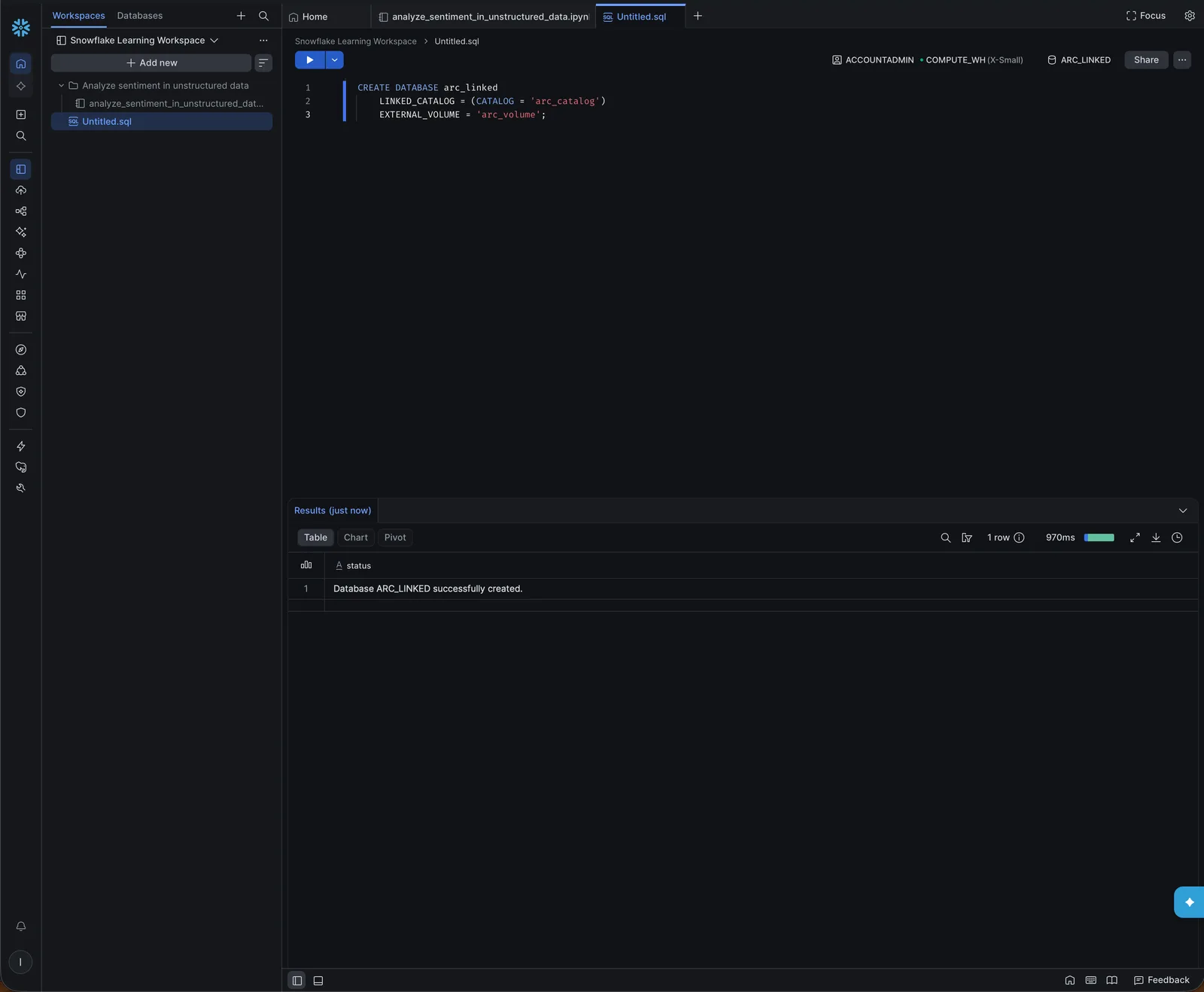
After about a minute, open Catalog → Catalog explorer → ARC_LINKED. The table's details show the catalog integration, the external volume and auto-refresh, and the row count matches Arc's:
Preview reads Arc's Parquet files from S3:
6. Query it
Address the table as arc_linked.<schema>.<table>. Arc's lowercase names resolve without quotes:
SELECT COALESCE(NULLIF(constellation, ''), '(other)') AS constellation,
       COUNT(DISTINCT norad_id)            AS satellites,
       ROUND(MEDIAN(altitude_km))          AS median_altitude_km
FROM arc_linked.arc_satellite_tracking.satellite_positions
WHERE object_type = 'PAYLOAD'
  AND altitude_km <> 'NaN'::float
GROUP BY 1
ORDER BY satellites DESC
LIMIT 10;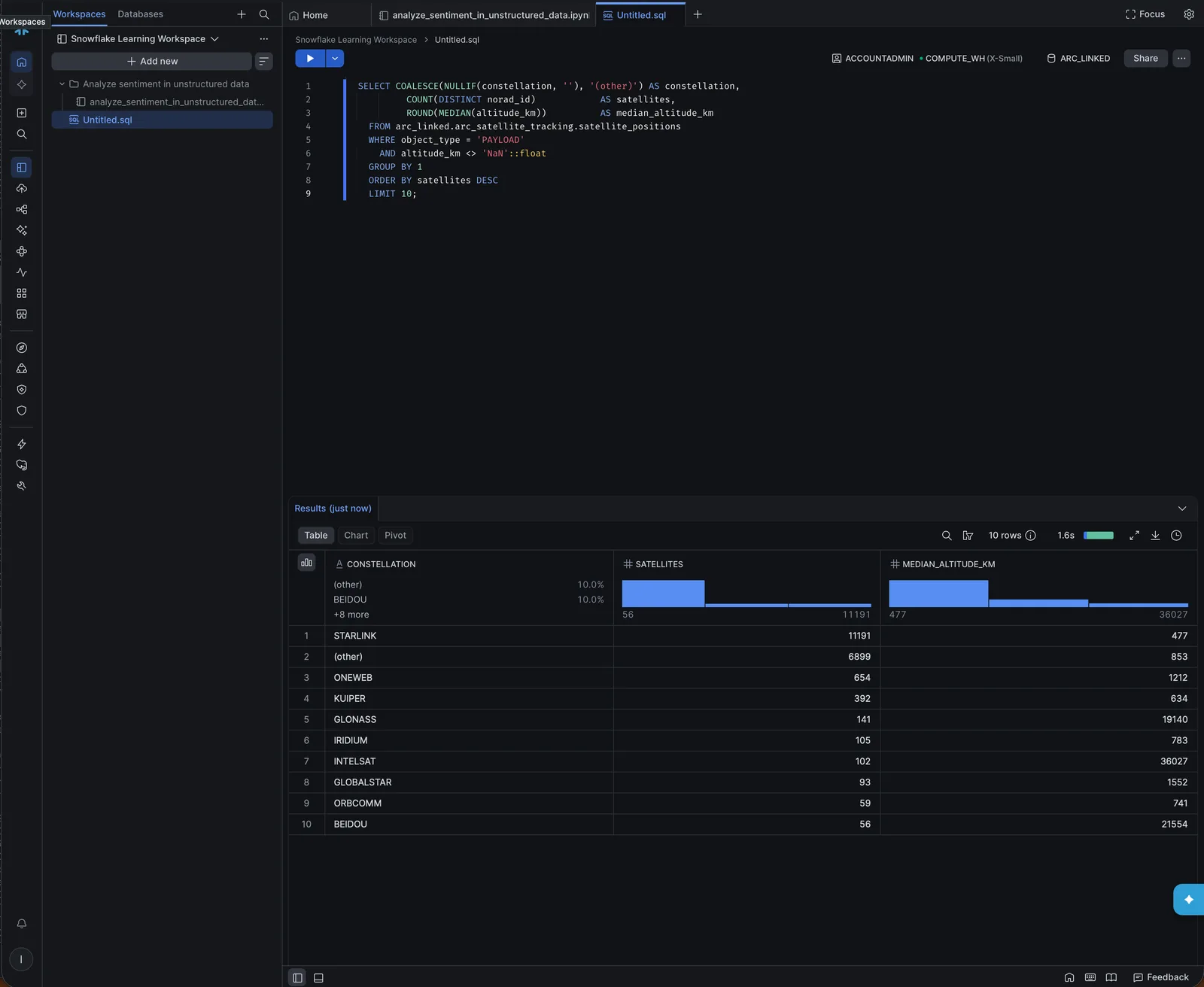
The worksheet's Chart tab plots the result. Median altitude by constellation shows the orbital shells: the broadband constellations in low orbit, GLONASS and BeiDou in medium orbit, Intelsat at about 36,000 km:
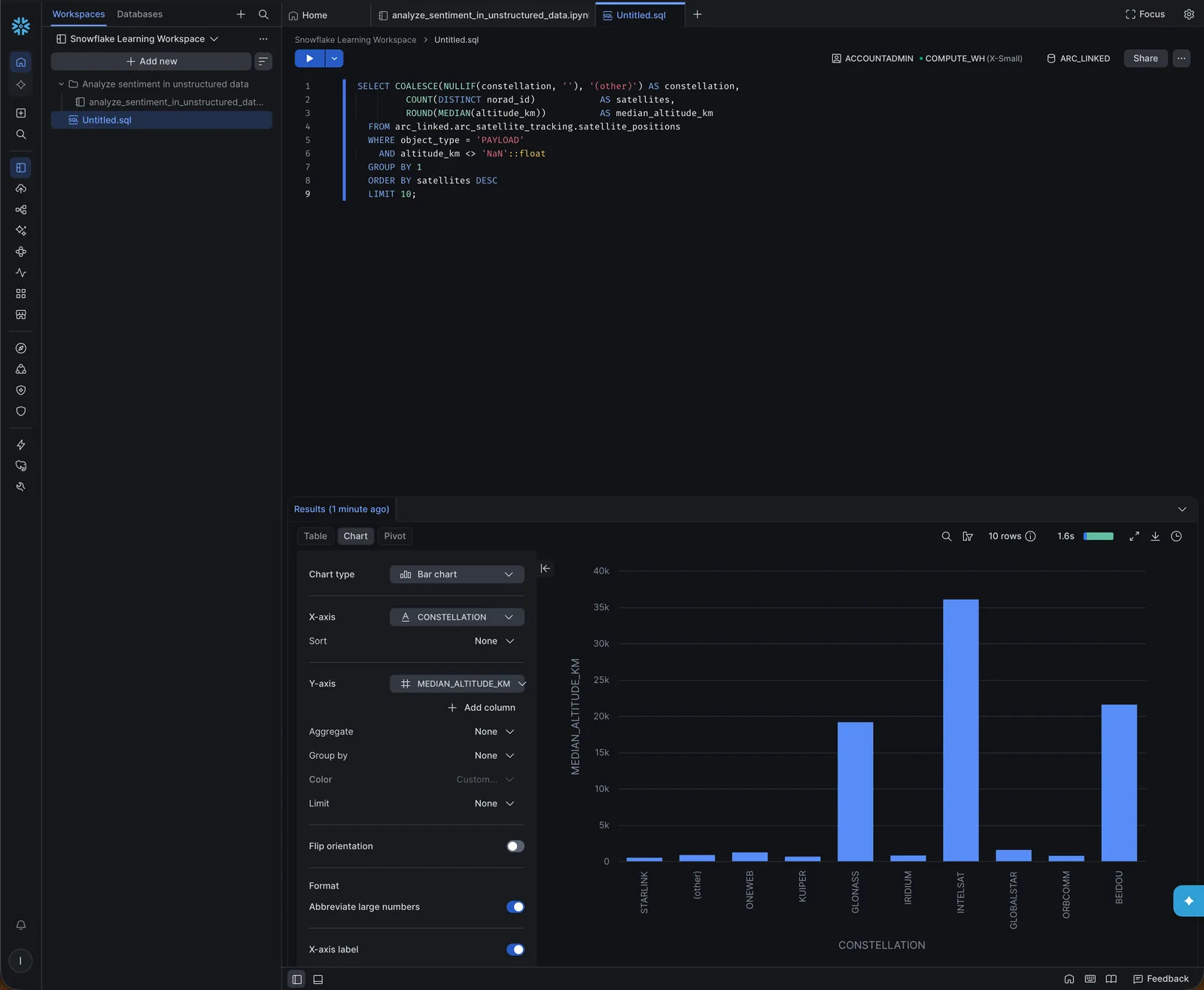
Column types are Arc's: time is a timestamp, positions are floats. The demo data has a few objects whose position couldn't be computed and is stored as NaN, hence the filter.
7. The Glue route
Skip this if you use the REST route. It needs a second IAM role, which Snowflake assumes to read Glue (say arc-snowflake-glue):
{
  "Version": "2012-10-17",
  "Statement": [
    { "Effect": "Allow",
      "Action": ["glue:GetDatabase", "glue:GetDatabases", "glue:GetTable", "glue:GetTables"],
      "Resource": [
        "arn:aws:glue:us-east-2:123456789012:catalog",
        "arn:aws:glue:us-east-2:123456789012:database/arc_*",
        "arn:aws:glue:us-east-2:123456789012:table/arc_*/*"
      ] }
  ]
}
Create it with the same placeholder trust policy as in step 2, then the integration:
CREATE CATALOG INTEGRATION arc_glue_catalog
  CATALOG_SOURCE = GLUE
  CATALOG_NAMESPACE = 'arc_satellite_tracking'
  TABLE_FORMAT = ICEBERG
  GLUE_AWS_ROLE_ARN = 'arn:aws:iam::123456789012:role/arc-snowflake-glue'
  GLUE_CATALOG_ID = '123456789012'
  GLUE_REGION = 'us-east-2'
  ENABLED = TRUE;

DESC CATALOG INTEGRATION arc_glue_catalog;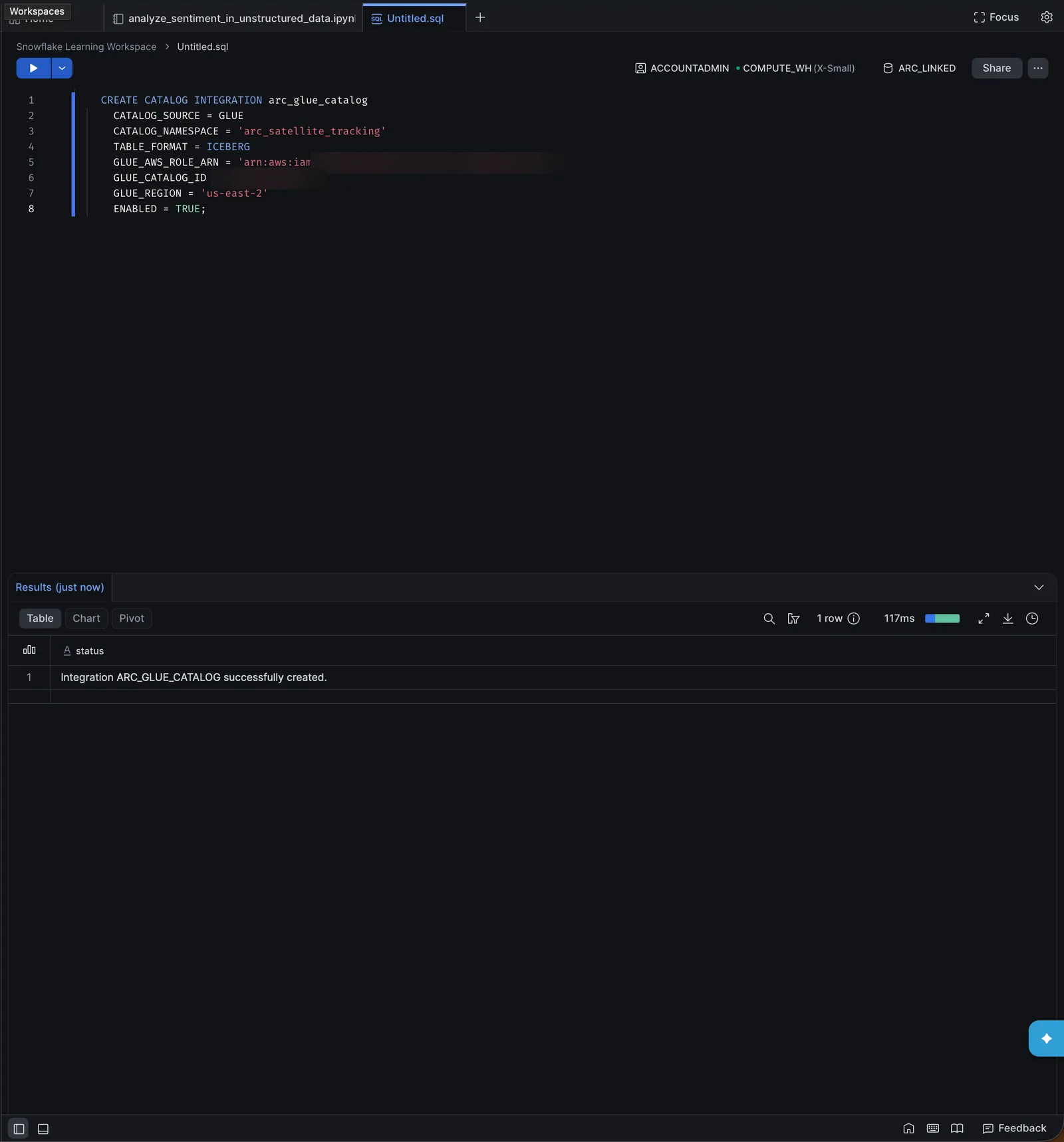
Copy GLUE_AWS_IAM_USER_ARN and GLUE_AWS_EXTERNAL_ID from the DESC into the Glue role's trust policy, the same way as in step 3. Its external ID differs from the volume's. Then create one Iceberg table per Arc measurement:
CREATE DATABASE arc_glue_db;

CREATE ICEBERG TABLE arc_glue_db.public.satellite_positions
  EXTERNAL_VOLUME = 'arc_volume'
  CATALOG = 'arc_glue_catalog'
  CATALOG_TABLE_NAME = 'satellite_positions'
  AUTO_REFRESH = TRUE;

SELECT COUNT(*) FROM arc_glue_db.public.satellite_positions;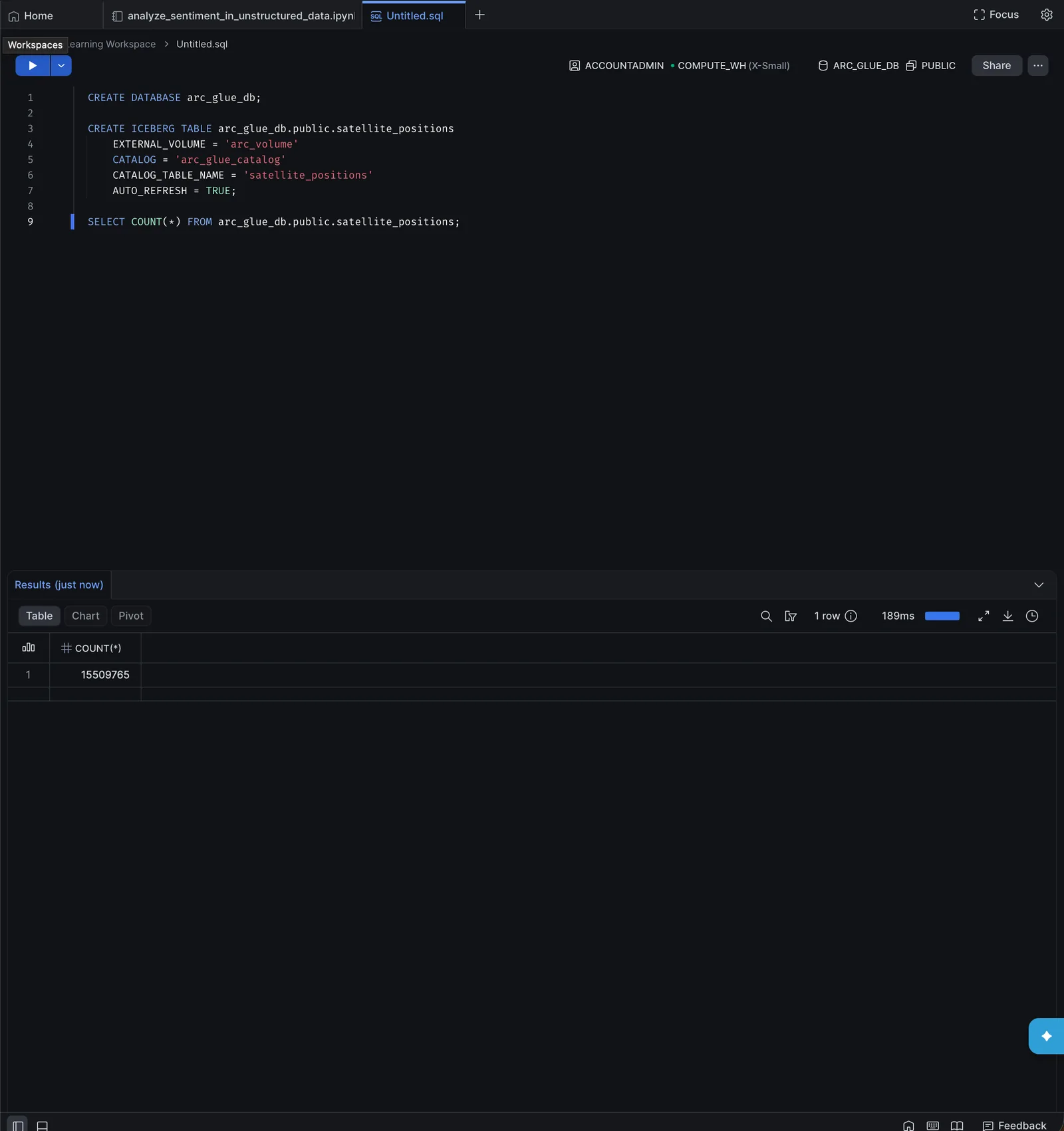
Both routes read the same files and return the same rows.
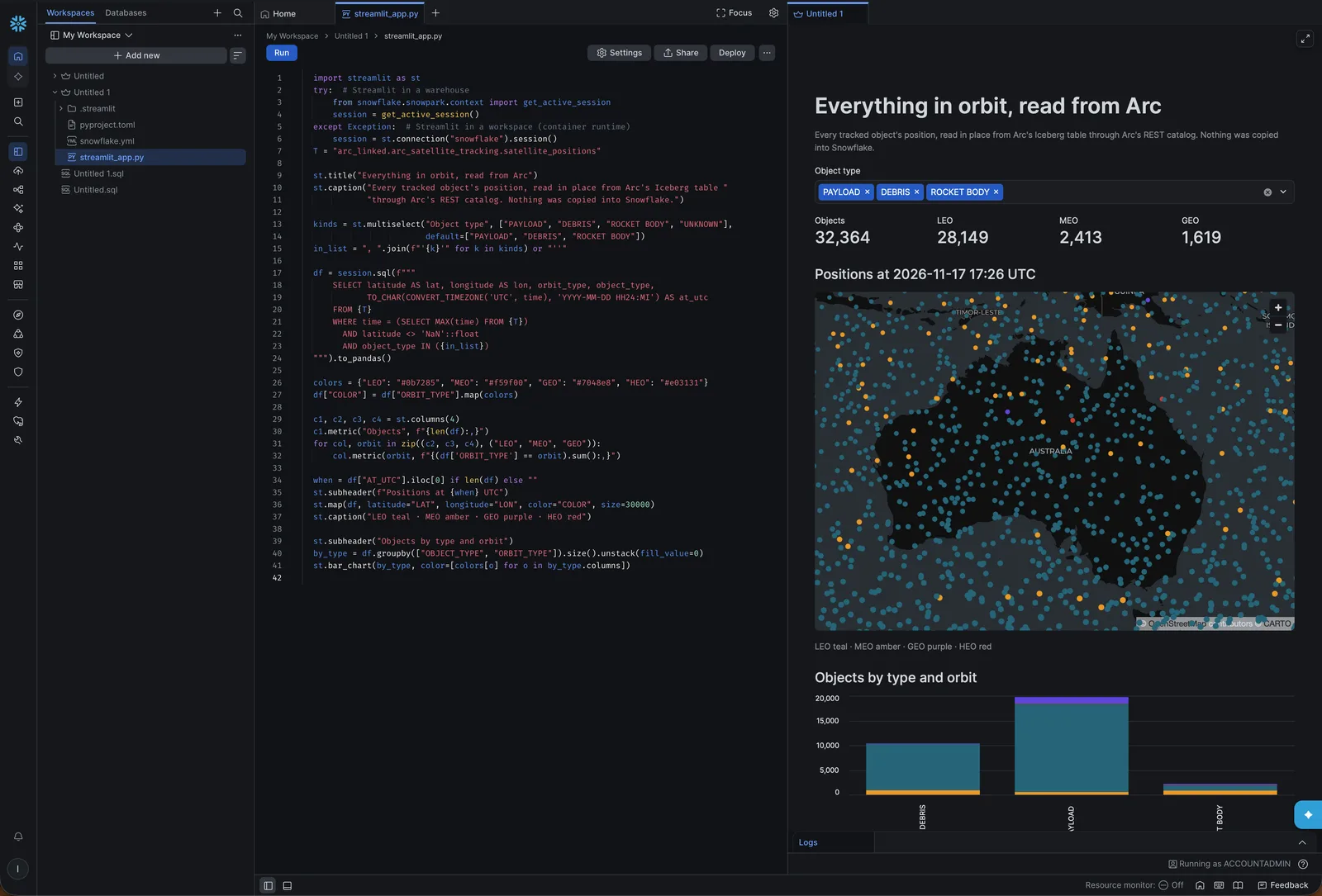
8. A map in Streamlit
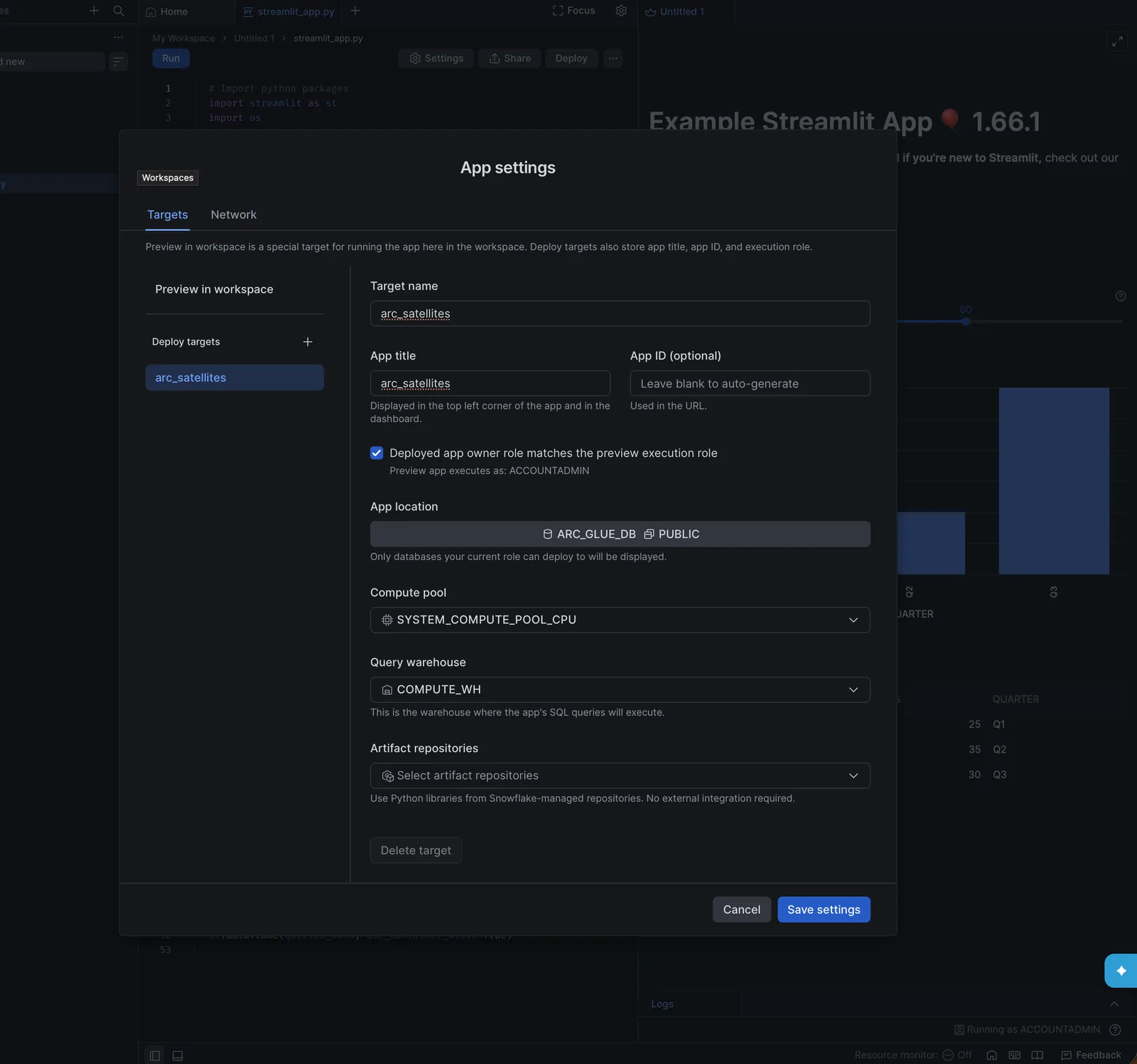
Snowsight's built-in charts have no map, so the map is a Streamlit app. In Workspaces, add a Streamlit app, and in its Settings set the app location (a database and schema you can write to) and the query warehouse:
Replace streamlit_app.py with:
import streamlit as st
try:  # Streamlit in a warehouse
    from snowflake.snowpark.context import get_active_session
    session = get_active_session()
except Exception:  # Streamlit in a workspace (container runtime)
    session = st.connection("snowflake").session()
T = "arc_linked.arc_satellite_tracking.satellite_positions"

st.title("Everything in orbit, read from Arc")
st.caption("Every tracked object's position, read in place from Arc's Iceberg table "
           "through Arc's REST catalog. Nothing was copied into Snowflake.")

kinds = st.multiselect("Object type", ["PAYLOAD", "DEBRIS", "ROCKET BODY", "UNKNOWN"],
                       default=["PAYLOAD", "DEBRIS", "ROCKET BODY"])
in_list = ", ".join(f"'{k}'" for k in kinds) or "''"

df = session.sql(f"""
    SELECT latitude AS lat, longitude AS lon, orbit_type, object_type,
           TO_CHAR(CONVERT_TIMEZONE('UTC', time), 'YYYY-MM-DD HH24:MI') AS at_utc
    FROM {T}
    WHERE time = (SELECT MAX(time) FROM {T})
      AND latitude <> 'NaN'::float
      AND object_type IN ({in_list})
""").to_pandas()

colors = {"LEO": "#0b7285", "MEO": "#f59f00", "GEO": "#7048e8", "HEO": "#e03131"}
df["COLOR"] = df["ORBIT_TYPE"].map(colors)

c1, c2, c3, c4 = st.columns(4)
c1.metric("Objects", f"{len(df):,}")
for col, orbit in zip((c2, c3, c4), ("LEO", "MEO", "GEO")):
    col.metric(orbit, f"{(df['ORBIT_TYPE'] == orbit).sum():,}")

when = df["AT_UTC"].iloc[0] if len(df) else ""
st.subheader(f"Positions at {when} UTC")
st.map(df, latitude="LAT", longitude="LON", color="COLOR", size=30000)
st.caption("LEO teal · MEO amber · GEO purple · HEO red")

st.subheader("Objects by type and orbit")
by_type = df.groupby(["OBJECT_TYPE", "ORBIT_TYPE"]).size().unstack(fill_value=0)
st.bar_chart(by_type, color=[colors[o] for o in by_type.columns])
Click Run. The filter list is fixed, so building the IN list from it is safe; don't pass free-text input into SQL this way.
Keeping it current
There is nothing to schedule in Snowflake. Arc publishes a new table version on each export pass that finds changed files (iceberg.reconcile_interval, 300 seconds by default), and auto-refresh follows it: about 80 seconds after Arc published it through the REST catalog in our test, and about 70 seconds through Glue. A catalog-linked database also picks up measurements created after the link by itself.
Troubleshooting
| Error | Cause | Fix |
|---|---|---|
External volume 'ARC_VOLUME' does not exist or not authorized on DESC | The CREATE EXTERNAL VOLUME didn't run. Snowsight's Run executes only the statement under the cursor. | Run the CREATE first, or use Run All. |
AccessDenied from SYSTEM$VERIFY_EXTERNAL_VOLUME | The trust policy doesn't have Snowflake's IAM user and external ID yet, or IAM hasn't applied it. | Check the trust policy against the DESC values and wait half a minute. |
SYSTEM$VERIFY_CATALOG_INTEGRATION fails | Snowflake can't reach Arc over HTTPS, the certificate isn't publicly trusted, or the token is wrong. | Check curl -H "Authorization: Bearer <token>" https://arc.example.com/iceberg/v1/config from outside your network. |
| A table is missing from the linked database | The token can't read that database (the catalog lists only what the token may read), or the table was created in the last 30 seconds. | Check the token's permissions, and the link status. |
Aggregates on a float column return NaN | The data has NaN values. | Filter them: col <> 'NaN'::float. |
Limits
- Read only. Snowflake reads Arc's tables; write to Arc. Keep
ALLOW_WRITES = FALSEon the volume and the IAM role read-only. - Cold tier. On Arc Enterprise with tiered storage, files that move to a cold tier leave the bucket the volume covers, and Snowflake can't read them. Query hot data.
- One schema per measurement. A column whose type differs between files stops the export of that table; Arc logs the column and both types.
See Apache Iceberg export for everything about the export, the REST catalog and Glue.
Databricks
Query Arc's data in Databricks without copying it: Arc publishes each measurement as an Apache Iceberg table and registers it in AWS Glue, and Unity Catalog reads it through a Glue foreign catalog. Step by step in the Databricks UI, from the IAM role to an AI/BI dashboard.
Trino
Query Arc's data with Trino on your own servers: Arc stores Parquet in S3-compatible storage such as SeaweedFS, publishes it as Apache Iceberg and serves its own Iceberg REST catalog, and Trino reads the files in place. A complete on-prem stack in one Docker Compose file, with a Python notebook for analysis.