
BigQuery
Query Arc's data in BigQuery without copying it: Arc registers its Iceberg tables in AWS Glue, and a BigQuery Glue federated dataset reads them through BigQuery Omni, next to the data in AWS. Step by step, from the IAM role to a query and a chart in BigQuery Studio.
Query Arc's data from BigQuery where it already is, in your AWS account. Arc publishes each measurement as an Apache Iceberg table over its own Parquet files and registers it in AWS Glue. A Glue federated dataset in BigQuery mirrors that Glue database, and BigQuery Omni runs the queries in AWS, next to the data. Nothing is copied to Google Cloud; only query results cross clouds.
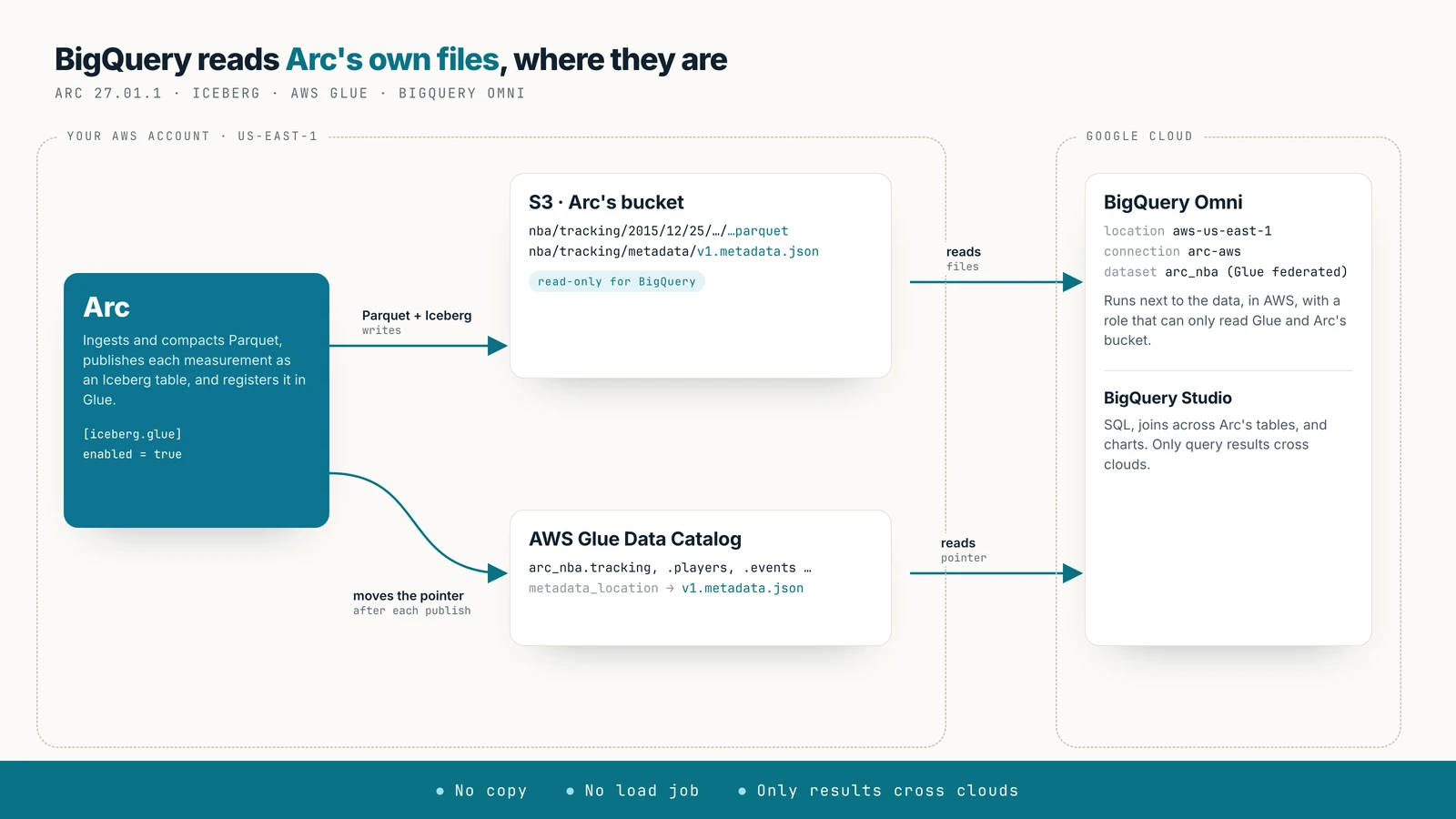
Availability
Arc 27.01.1 or later, with an S3 primary on AWS (storage.backend = "s3") in a region BigQuery Omni serves. Every step below was run with Arc's bucket and Glue in us-east-1 and BigQuery's location aws-us-east-1, on SportVU tracking data from one NBA game.
Before you start
- Arc's bucket and Glue in a BigQuery Omni region. Omni runs in a few AWS regions, among them
aws-us-east-1(N. Virginia),aws-us-west-2andaws-eu-west-1; see BigQuery Omni locations. Use the region of Arc's bucket. - A Google Cloud project with billing and the BigQuery Connection API enabled (
gcloud services enable bigqueryconnection.googleapis.com). - The
bqCLI (part of the Google Cloud SDK), or the console, to create the connection and the dataset.
Omni queries run on demand; no reservation is needed.
1. Configure Arc
[iceberg]
enabled = true

[iceberg.glue]
enabled = true
# region = "us-east-1"          # default: storage.s3_region
Or with environment variables: ARC_ICEBERG_ENABLED=true, ARC_ICEBERG_GLUE_ENABLED=true. The credentials Arc uses for S3 also call Glue; they need glue:GetDatabase, GetDatabases, CreateDatabase, GetTable, GetTables, CreateTable, UpdateTable and DeleteTable on the arc_* databases.
After the next export pass (every 5 minutes by default), each Arc database is a Glue database arc_<database>, one table per measurement, with table_type = ICEBERG. The examples use the database nba, so the Glue database is arc_nba.
2. Create the IAM role for BigQuery
BigQuery Omni reaches AWS by assuming a role with a Google web identity. Create a role (say arc-bigquery-omni) with a maximum session duration of 12 hours and this permissions policy, which can only read:
{
  "Version": "2012-10-17",
  "Statement": [
    { "Effect": "Allow",
      "Action": ["glue:GetDatabase", "glue:GetTable", "glue:GetTables", "glue:GetPartitions"],
      "Resource": [
        "arn:aws:glue:us-east-1:123456789012:catalog",
        "arn:aws:glue:us-east-1:123456789012:database/arc_nba",
        "arn:aws:glue:us-east-1:123456789012:table/arc_nba/*"
      ] },
    { "Effect": "Allow",
      "Action": "s3:ListBucket",
      "Resource": "arn:aws:s3:::my-arc-bucket" },
    { "Effect": "Allow",
      "Action": "s3:GetObject",
      "Resource": ["arn:aws:s3:::my-arc-bucket", "arn:aws:s3:::my-arc-bucket/*"] }
  ]
}
Its trust policy names Google as a federated principal; the identity comes from the connection in the next step, so start with a placeholder:
{
  "Version": "2012-10-17",
  "Statement": [
    { "Effect": "Allow",
      "Principal": { "Federated": "accounts.google.com" },
      "Action": "sts:AssumeRoleWithWebIdentity",
      "Condition": { "StringEquals": { "accounts.google.com:sub": "<BigQuery Google identity>" } } }
  ]
}
3. Create the connection
bq mk --connection --project_id=my-project \
  --connection_type='AWS' \
  --iam_role_id=arn:aws:iam::123456789012:role/arc-bigquery-omni \
  --location=aws-us-east-1 \
  arc-aws
The output includes the connection's BigQuery Google identity:
Please add the following identity to your AWS IAM Role 'arn:aws:iam::123456789012:role/arc-bigquery-omni'
Identity: '113454673039217274853'
Put that number in the role's trust policy as accounts.google.com:sub.
4. Create the Glue federated dataset
A federated dataset mirrors one Glue database:
bq --location=aws-us-east-1 mk --dataset --project_id=my-project \
  --external_source aws-glue://arn:aws:glue:us-east-1:123456789012:database/arc_nba \
  --connection_id my-project.aws-us-east-1.arc-aws \
  arc_nba
Or in SQL:
CREATE EXTERNAL SCHEMA arc_nba
WITH CONNECTION `my-project.aws-us-east-1.arc-aws`
OPTIONS (
  external_source = 'aws-glue://arn:aws:glue:us-east-1:123456789012:database/arc_nba',
  location = 'aws-us-east-1');
Arc's measurements appear as the dataset's tables. Measurements Arc adds later appear on their own.
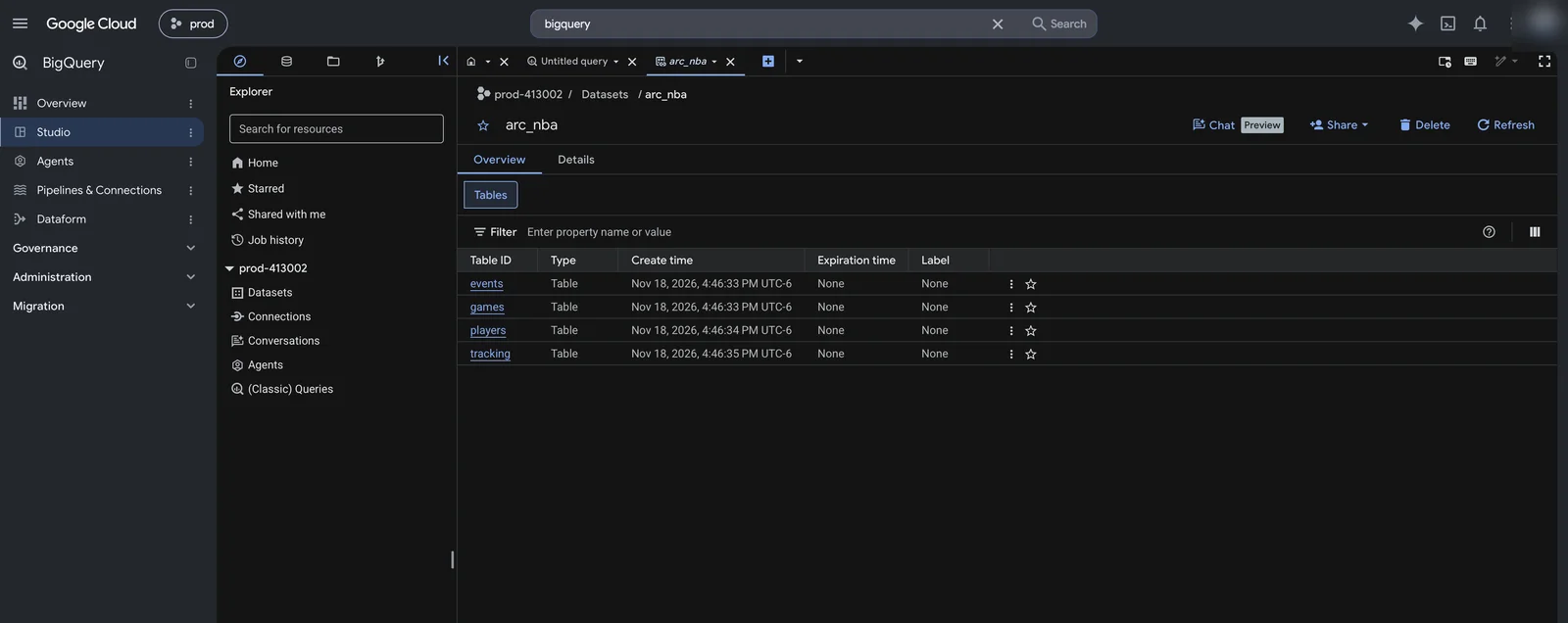
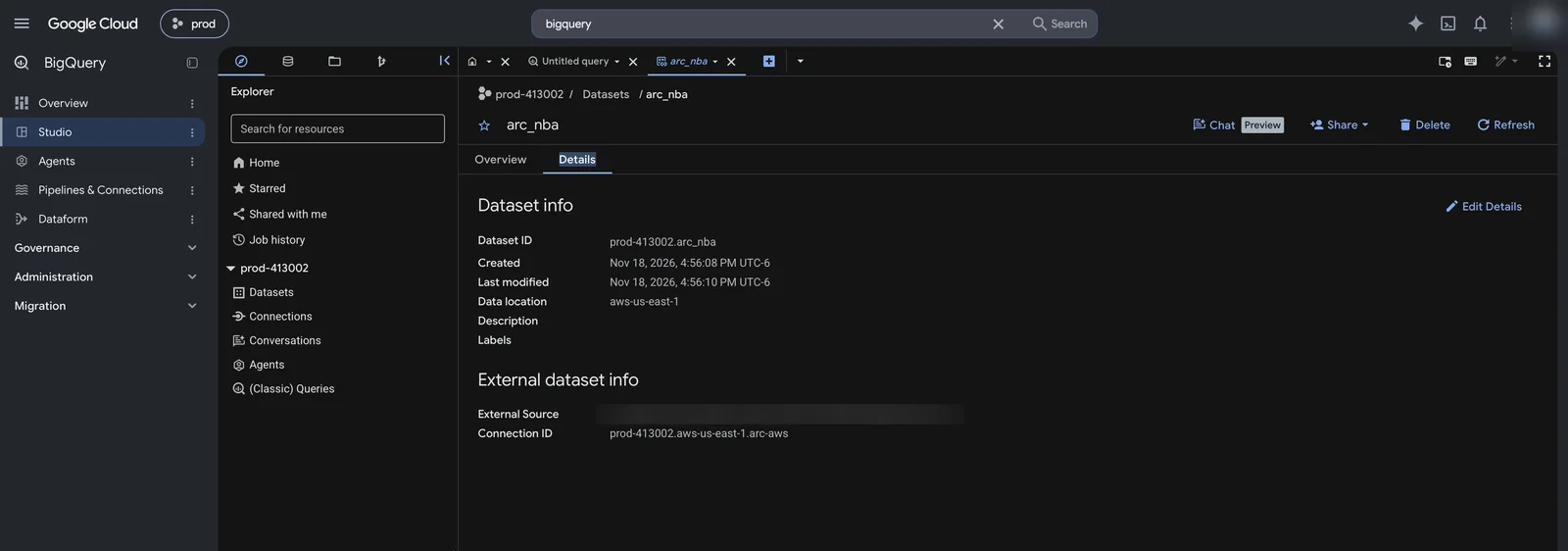
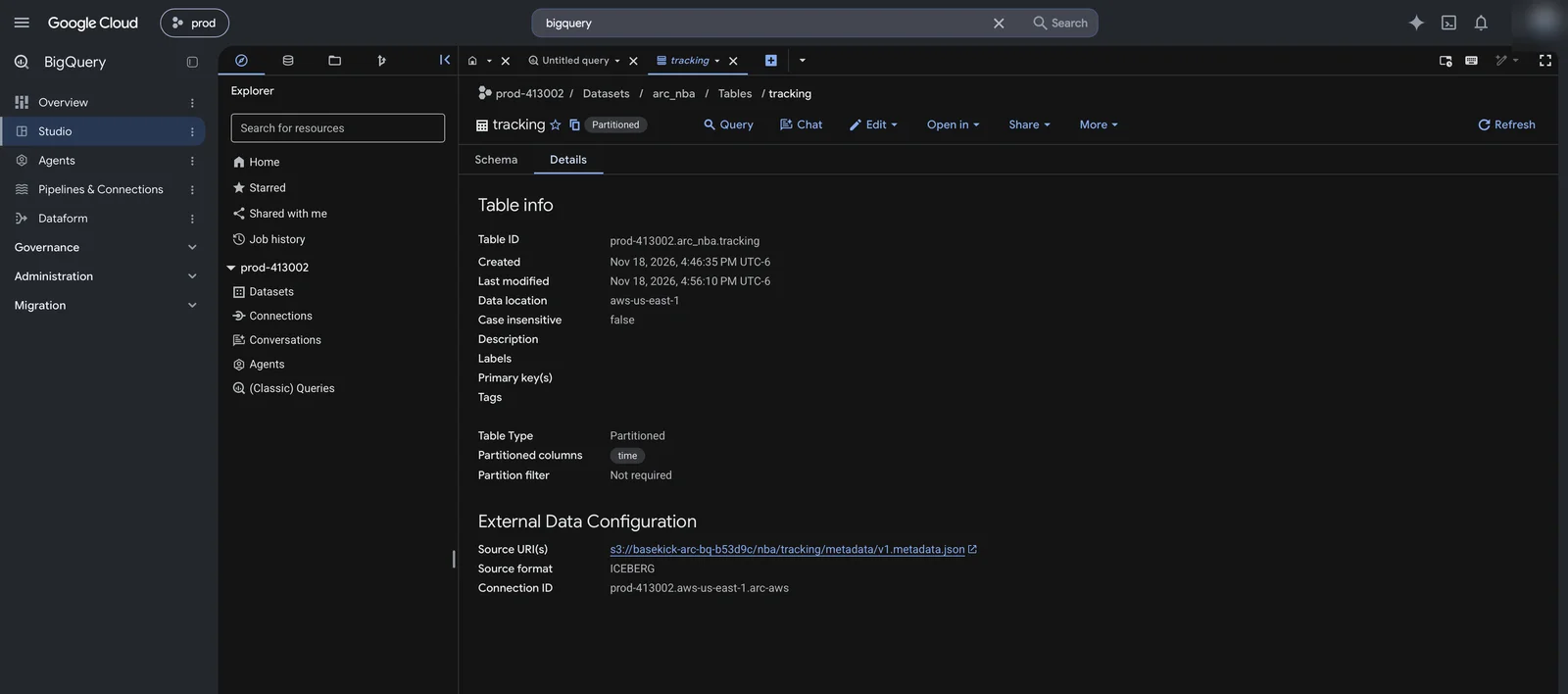
Each table reads its format and location from Glue. BigQuery shows the source as Arc's current Iceberg metadata file, and picks up the table's partitioning on time from it:
5. Query
Queries on the dataset run in its location, aws-us-east-1. Joins across Arc's tables work as usual. Distance and top speed per player, from the tracking table and the roster:
WITH steps AS (
  SELECT player_id,
         SQRT(POW(x - LAG(x) OVER w, 2) + POW(y - LAG(y) OVER w, 2)) AS feet,
         TIMESTAMP_DIFF(time, LAG(time) OVER w, MILLISECOND) / 1000 AS secs
  FROM arc_nba.tracking
  WHERE entity_type = "player"
  WINDOW w AS (PARTITION BY player_id ORDER BY time))
SELECT CONCAT(p.first_name, " ", p.last_name) AS player, p.team_abbr AS team,
       ROUND(SUM(s.feet) / 5280, 2) AS miles,
       ROUND(APPROX_QUANTILES(s.feet / s.secs, 1000)[OFFSET(999)] * 0.681818, 1) AS top_mph
FROM steps s JOIN arc_nba.players p USING (player_id)
WHERE s.secs > 0 AND s.secs <= 0.2 AND s.feet / s.secs < 35
GROUP BY 1, 2
ORDER BY miles DESC
LIMIT 10;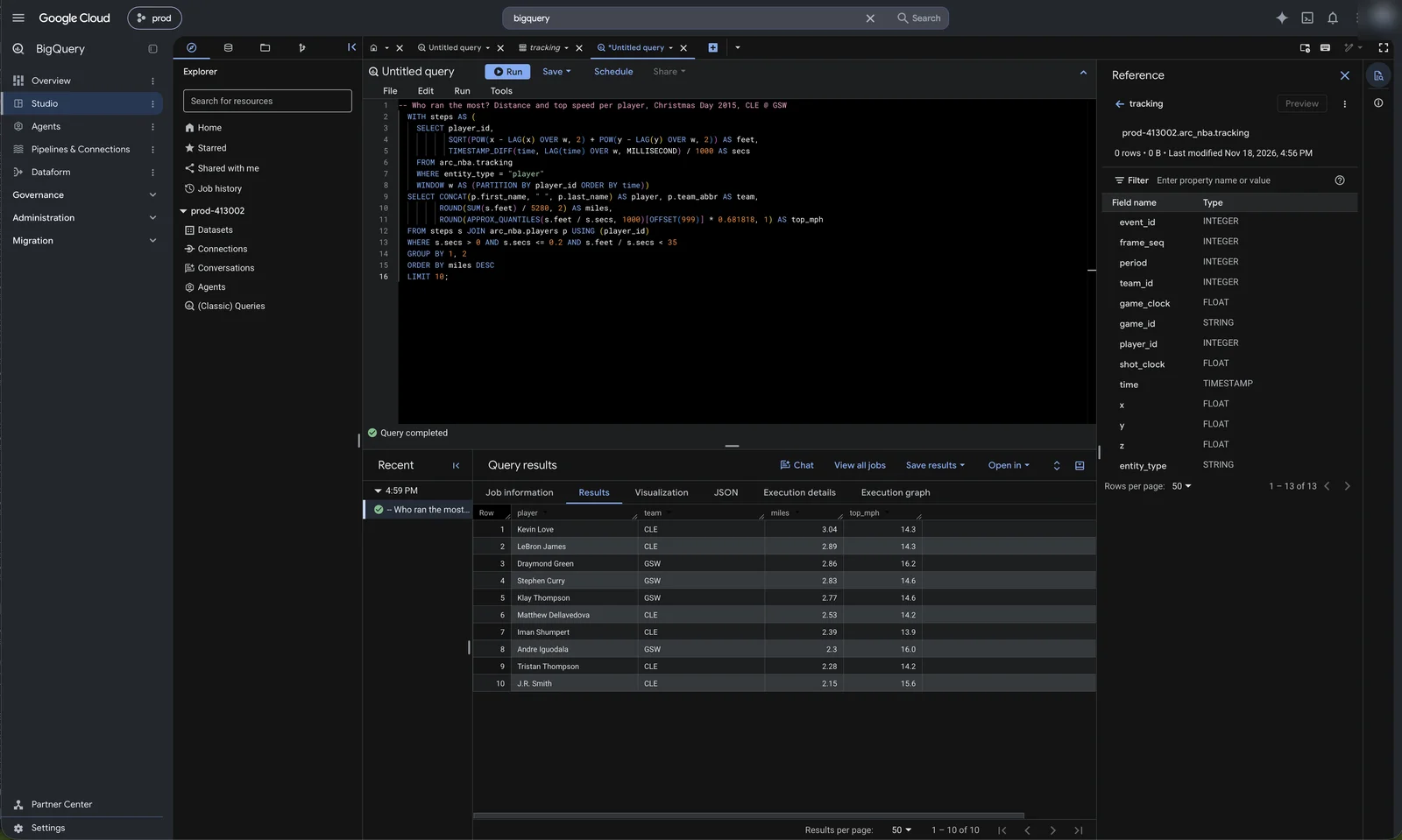
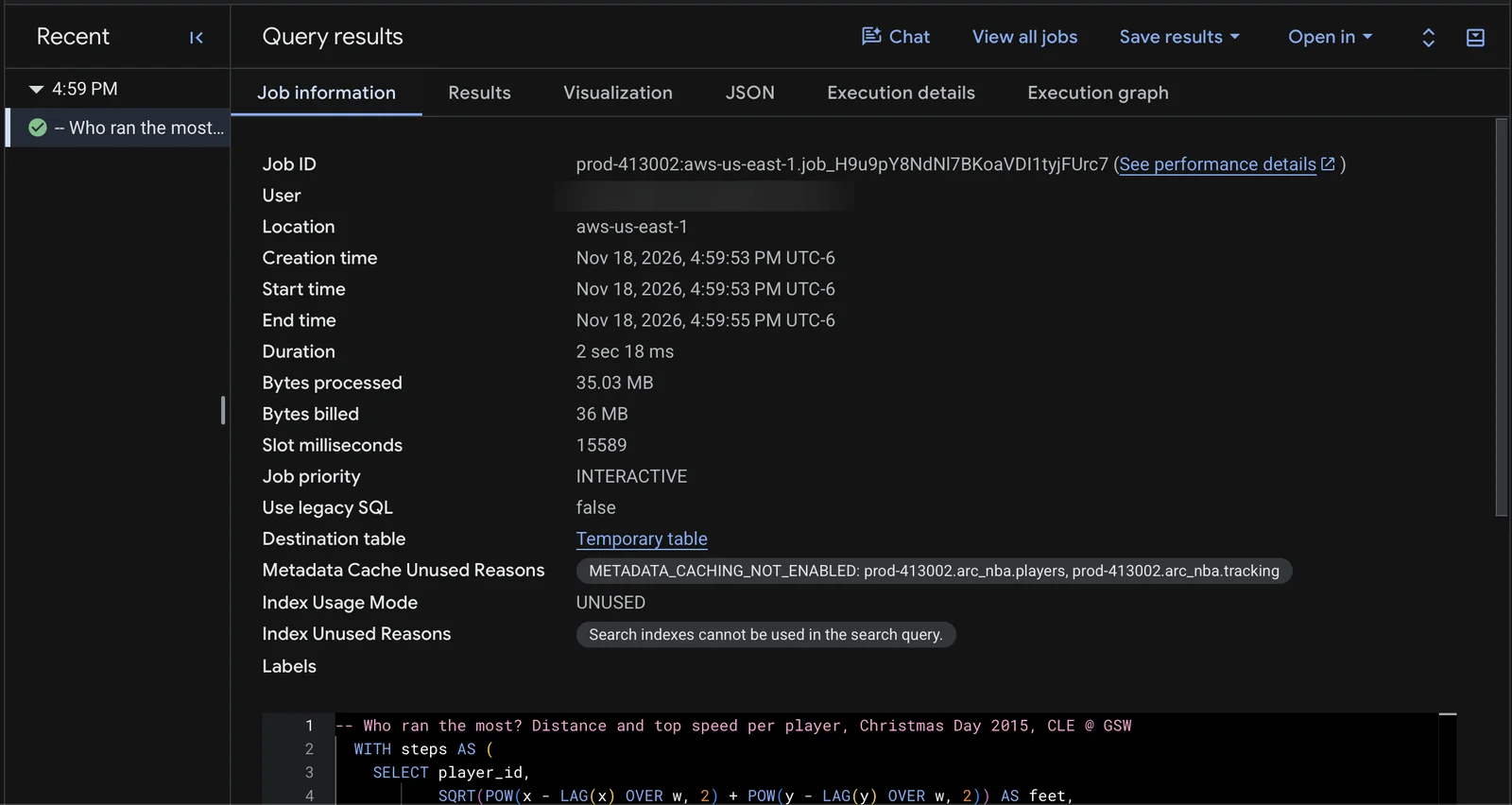
The job ran in AWS: location aws-us-east-1, 2 seconds, 35 MB processed:
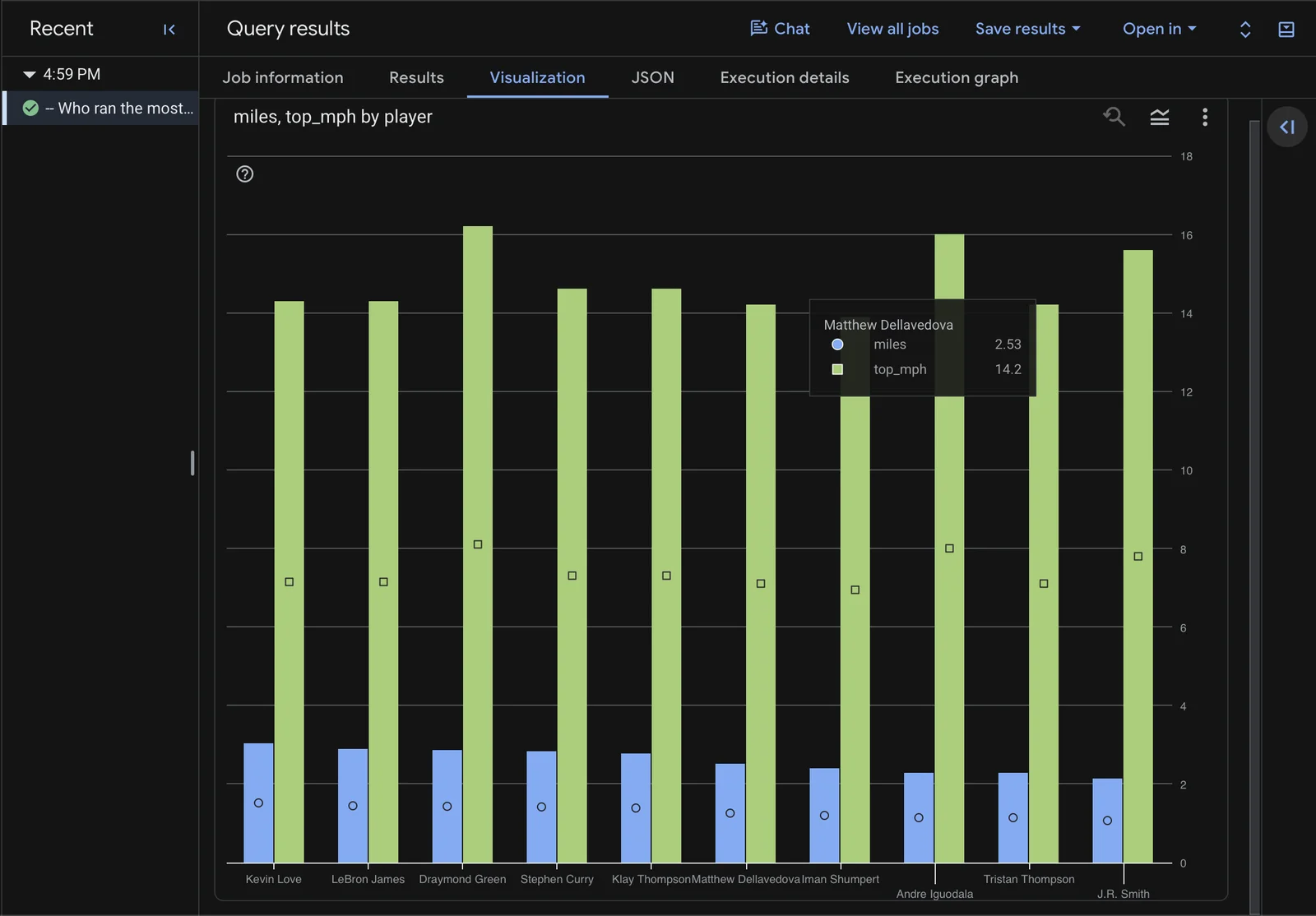
The result's Visualization tab charts it:
Keeping it current
Glue federated datasets don't cache metadata: each query reads the table's current pointer from Glue, which Arc moves within seconds of publishing a version. Arc publishes on each export pass that finds changed files (iceberg.reconcile_interval, 300 seconds by default). There is nothing to refresh in BigQuery. In a test, a measurement written to Arc after the dataset existed appeared in BigQuery as a table on its own, and a new row was counted by the first query after Arc's next export pass.
Limits
- Read only. BigQuery can't write to a Glue federated dataset, and the role can only read.
- Omni regions only. Arc's bucket and Glue must be in a region BigQuery Omni serves, and queries run in that location.
- Metadata caching isn't supported for Glue federated datasets, and
INFORMATION_SCHEMAviews aren't available on them. - Cold tier. On Arc Enterprise with tiered storage, files that move to a cold tier leave the bucket, and BigQuery can't read them. Query hot data.
See Through AWS Glue for everything Arc does in Glue, and Google's AWS Glue federated datasets page for BigQuery's side.
Amazon Athena and Redshift
Query Arc's data with Amazon Athena and Redshift Serverless without copying it: Arc registers each measurement's Iceberg table in the AWS Glue Data Catalog, and both engines read Arc's Parquet in place. No crawler, no COPY, no load job.
Databricks
Query Arc's data in Databricks without copying it: Arc publishes each measurement as an Apache Iceberg table and registers it in AWS Glue, and Unity Catalog reads it through a Glue foreign catalog. Step by step in the Databricks UI, from the IAM role to an AI/BI dashboard.