Arc Launchpad
A self-hosted web UI for Arc. Query and operate your instances from the browser.
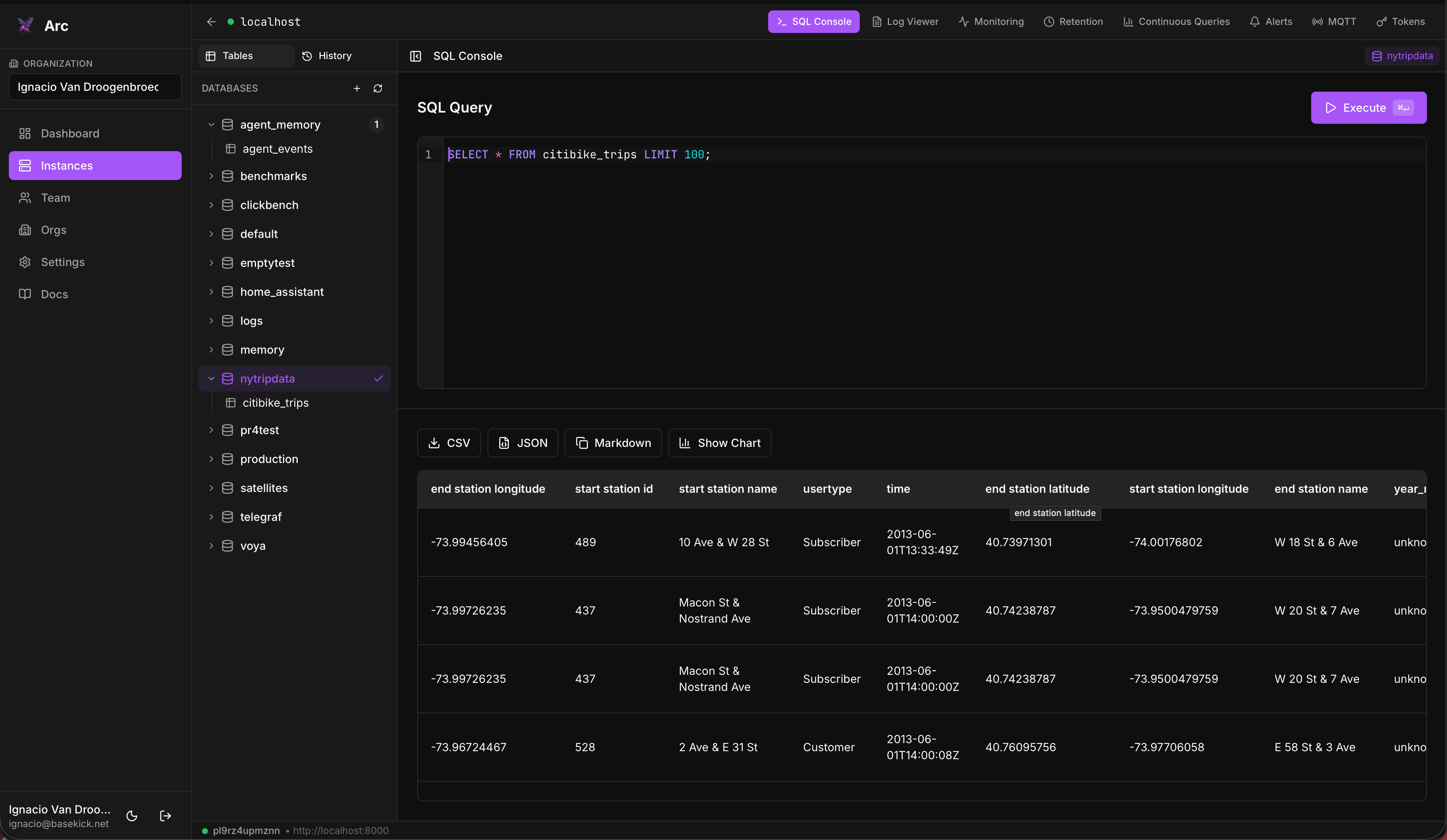
Arc Launchpad is a browser-based control panel for Arc, the high-performance columnar analytical database. It connects to one or more Arc instances you already run and gives you a UI to run SQL, explore schemas, browse logs, manage tokens and retention policies, set up alerts and continuous queries, manage MQTT ingestion, and invite teammates into shared organizations.
What Launchpad is (and isn't)
Launchpad connects to Arc instances you already run. You point it at an Arc endpoint (URL + admin token) and it gives you a UI to both query and operate that instance.
It does not provision or host databases. It doesn't spin up servers, allocate storage, or run Arc for you. You bring your own Arc. Once connected, Launchpad drives Arc's admin API to manage tokens, retention, alerts, continuous queries, and MQTT ingestion on your behalf.
Launchpad stores only your connection records and your accounts/teams in a local SQLite database. It never copies your data out of Arc: every request goes straight to your instance through a built-in proxy.
Features
- SQL console: schema explorer, query history, multi-tab editing, and result export (CSV/JSON/Markdown/chart)
- Log viewer: for the logs you store in Arc, with pattern detection and trace extraction
- Monitoring: Arc's own self-observability: ingestion, queries, and internal metrics
- Retention policies: automatic data-retention rules with a dry-run preview
- Continuous queries: rollups and downsampling
- Alerts: threshold alerts over your data with webhook notifications
- MQTT ingestion: manage broker subscriptions that ingest topics into Arc
- Token management: full lifecycle for Arc API tokens
- Organizations & teams: invite users and assign roles
- Local auth: email/password with optional MFA (TOTP) and passkeys (WebAuthn)
How it fits together
┌──────────┐        ┌──────────────┐        ┌──────────────┐
│ Browser  │ ─────▶ │  Launchpad   │ ─────▶ │  Arc server  │
│  (you)   │        │ (proxy + UI) │        │ (your data)  │
└──────────┘        └──────────────┘        └──────────────┘
                          │
                          ▼
                    ┌──────────┐
                    │  SQLite  │  accounts, teams, connection records
                    └──────────┘
Launchpad holds accounts, teams, and the connection records (endpoint + token) in SQLite. All queries and admin actions are proxied to the Arc server you registered; your analytical data stays in Arc.
Get started
- Installation: Docker Compose, standalone Docker, Helm, or from source
- First-run setup: create the admin account
- Connecting to Arc: register your first Arc server
Links
- Source: github.com/Basekick-Labs/launchpad
- License: Apache-2.0
- Issues & requests: GitHub issues